
Every crypto wallet charges something somewhere. The cost can sit in a card payment, a conversion rate, a withdrawal, or the network itself. A crypto wallet with low fees keeps those charges small and shows them before you confirm an action.
This article explains which fees a wallet can charge, why they vary from one wallet to another, and how to judge the total cost. It also walks through the fee structure of the CEX.IO Wallet, from the first deposit to the last withdrawal.
What Is a Low-Fee Crypto Wallet?
A low-fee crypto wallet is a wallet that keeps the total cost of everyday actions small. Those actions include adding money, buying crypto, converting one asset into another, and sending coins out. One low number on a single operation says little by itself. The full path from deposit to withdrawal tells you what a wallet costs to use.
Fees a Crypto Wallet Can Charge
Wallet fees fall into a few groups. Some come from the wallet provider, and others come from banks, card networks, or blockchains.
- Deposit fee. A charge for adding fiat through a card or a bank transfer. Card payments tend to cost more, because issuers and card networks each take a share.
- Purchase fee. The cost of buying crypto inside the wallet, often a percentage of the order.
- Conversion spread. The gap between the market price and the rate the wallet quotes for a swap.
- Trading fee. A percentage that an exchange charges on each order in its order book.
- Withdrawal fee. A charge for sending crypto or fiat out of the wallet. For crypto, it follows the network fee of the chosen blockchain.
- Network fee. The payment that validators collect for processing a transaction on a blockchain.
- Inactivity fee. A charge that some custodial platforms apply to dormant accounts, as their terms of use describe.
Why Crypto Wallet Fees Differ
Three factors drive most of the gap in costs between wallets.
The first is custody. A self-custody wallet stores nothing on your behalf, so its costs come mostly from network fees and from charges on in-app swaps. A custodial wallet runs a full platform with payment rails, so it sets its own deposit, conversion, and withdrawal fees.
The second is the payment rail. Bank transfers cost little to process, so many platforms pass them on for free or for a flat fee. Card payments involve an issuer and a card network, and each one takes a cut, which pushes card fees higher.
The third is the blockchain. Every network prices its block space by demand. Ethereum mainnet gets expensive when many people use it at once, and networks such as Tron or Solana tend to cost far less for the same token transfer.
How Network Choice Changes the Fee
Many tokens live on more than one blockchain. USDT, for instance, runs on Ethereum, Tron, BNB Smart Chain, and Solana. The token keeps the same value on each network, and the cost of moving it follows the network you pick.
A wallet that lets you choose the network at withdrawal puts that cost in your hands. The CEX.IO Wallet holds USDT as one asset, and you select the network when you send it out. The withdrawal screen shows the fee for each option. The receiving wallet also needs to support the network you choose, so a check on both ends prevents a lost transfer.
How to Judge Whether a Wallet Has Low Fees
A handful of signs point to a wallet with low and clear costs.
- A public fee page. The wallet lists deposit, withdrawal, and trading fees in one place.
- A quote before every order. The confirmation screen displays the charge alongside the amount you receive.
- Low-cost bank deposits. Free or flat-fee rails for adding fiat reduce the entry cost.
- Network choice on withdrawal. Tokens that exist on several chains can leave through a cheaper one.
- Free internal transfers. Transfers between users of the same platform skip the blockchain and its fee.
- Tiered trading fees. Rates that fall as monthly volume grows lower the cost for active traders.
Fees in the CEX.IO Wallet
CEX.IO publishes its fees on the Limits and Commissions page. The table lists the main charges for common wallet actions at the time of writing. Your country of residence decides which of these methods appear in your account.
| Action | Fee | Where it applies |
|---|---|---|
| SEPA deposit | Free of charge | Europe |
| Bank account (ACH) deposit | $0 | US |
| Card deposit | 0.49% to 4.99% plus a provider service charge | Countries with card support |
| SEPA withdrawal | €2.99 | Europe |
| Faster Payments withdrawal | £2.99 | UK |
| ACH withdrawal | $5 | US |
| Crypto withdrawal | A floating fee for each asset and network | All supported networks |
| CEX.IO Pay transfer | 0% | Between CEX.IO users in supported regions |
| Spot trading | 0.25% for a 30-day volume up to $10,000 | CEX.IO Spot Trading |
Spot trading fees drop as your 30-day trading volume grows and reach 0.10% in the higher tiers. The Convert tool also swaps USD, USDT, and USDC at a 1:1 rate with no fee, up to 100,000 USD per pair each month. CEX.IO runs this feature in test mode, USDT is not available to EU users, and the terms can change.
Ways to Keep Costs Down in the CEX.IO Wallet
A few habits can lower the total cost of using the wallet.
- Fund the wallet by bank transfer where your country supports it. SEPA and ACH deposits carry no fee.
- Group card purchases into fewer, larger payments. The provider service charge comes with each transaction, so many small payments add up.
- Pick a low-cost network for withdrawals when the receiving wallet supports it.
- Send crypto to other CEX.IO users through CEX.IO Pay, which charges no transfer fee.
- Read the summary screen before each order to see the fee and the final amount.
How to Create a CEX.IO Wallet
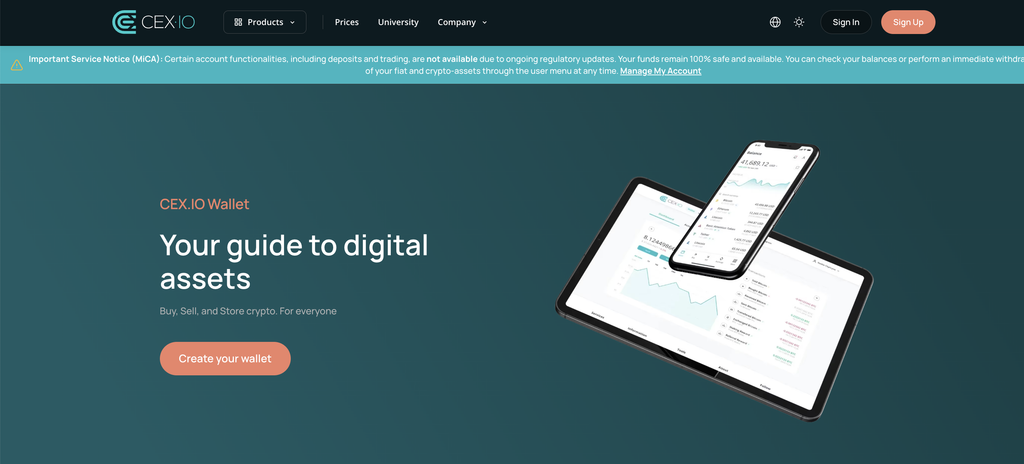
The account and the wallet open together. On the CEX.IO Wallet page, the Create your wallet button leads to the sign-up form.
- Enter an email you check often and choose a strong password.
- Select the country where you live.
- Accept the platform’s Terms of Use together with its Privacy Policy.
- Open the email from CEX.IO and enter the passcode it contains.
- Complete your profile with your first name, last name, and birth date.
- Go through identity verification under the KYC and AML policies to access deposits and purchases.
The CEX.IO App for iOS and Android follows the same sequence on a phone.
How to Buy Crypto and Store It in the Wallet
Purchases happen in the Buy section, and the coins stay in your wallet after the order goes through.
- Tap the Buy button at the top of the wallet.
- Search for the coin you want and type the amount to spend.
- Pick a payment method and read the fee on the summary screen.
- Approve the order.
Once the coins arrive, they sit in the wallet until you decide to hold, convert, or send them. CEX.IO keeps 98% of digital funds in offline cold storage, and every login and outgoing transfer requires two factor authentication along with email confirmation.
Final Thoughts
A crypto wallet with low fees shows its costs openly and keeps them small across the whole journey. Deposit rails, conversion rates, network choice, and withdrawal charges all shape the final figure. A public fee page and a clear quote before each order bring that figure into view. CEX.IO lists every charge on its Limits and Commissions page, which lets you weigh each option ahead of a transaction.
FAQ
What makes a crypto wallet low fee?
Small and visible charges across deposits, purchases, conversions, and withdrawals. A low total cost for the full path counts for more than one cheap operation.
How can I fund a crypto wallet at a low cost?
Bank transfers usually cost less than card payments. CEX.IO charges nothing for SEPA and ACH deposits.
Why do card purchases cost more?
Two parties sit behind every card payment, the bank that issued the card and the card scheme itself. Each of them charges for its part, and the wallet provider adds a processing fee on top.
Do self-custody wallets have fees?
Yes. They pass network fees to the user, and many of them add a charge on swaps made inside the app.
How do I lower crypto withdrawal fees?
For tokens with a presence on several blockchains, pick the network with the lower transaction cost. Confirm that the receiving wallet supports that network before you send.
Are transfers between CEX.IO users free?
Yes. CEX.IO Pay moves crypto between CEX.IO accounts with a 0% fee. The feature is not available in every region.
Does the CEX.IO Wallet charge for storing crypto?
No storage fee applies to holding crypto in the wallet. The Terms of Use set separate rules for accounts that stay inactive for a long time.
Where can I see all CEX.IO fees?
The Limits and Commissions page lists fees and limits for every payment method, every crypto network, and Spot Trading.