
Coinbase Wallet looks simple at first, but using it quickly shows how different it is from a typical exchange account. Every action happens on-chain, which means you confirm transactions manually, select networks yourself, and cover gas fees from your balance. There’s no fallback if something goes wrong.
That setup gives direct control over your crypto, but it also removes the safety nets many users expect. This review breaks down how Coinbase Wallet actually works, what it does well, where it creates friction, and how it compares to more structured platforms.
Coinbase Wallet at a Glance
Before going deeper, it helps to see how Coinbase Wallet is structured at a high level. This gives a clear view of what you’re actually using, especially since it works very differently from a standard exchange account.
| Category | Details |
| Wallet Type | Self-custody (non-custodial) |
| Founded | 2018 (as Coinbase Wallet, separate from exchange) |
| Supported Assets | Thousands of tokens, including ERC-20 and NFTs |
| Supported Networks | Ethereum, Polygon, BNB Chain, Solana |
| Key Access | User-controlled private keys and 12-word recovery phrase |
| Fiat Withdrawals | Not supported directly |
| Platforms | iOS, Android, browser extension |
What Is Coinbase Wallet?
Coinbase launched in 2012, founded by Brian Armstrong and Fred Ehrsam, with a focus on making crypto accessible through a regulated, user-facing platform. Over time, it expanded from a simple Bitcoin brokerage into a broader ecosystem covering trading, custody, and developer tools.
Coinbase Wallet vs Coinbase Exchange
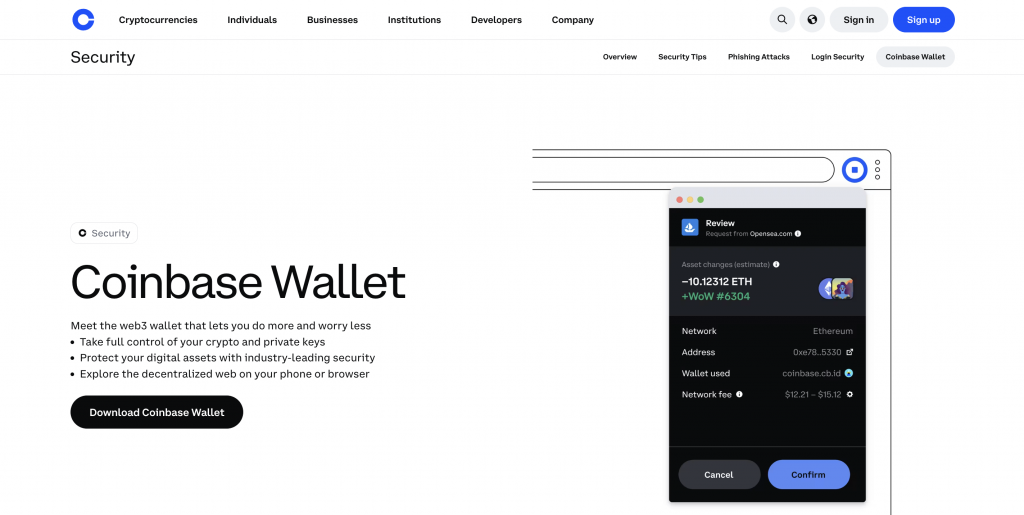
Coinbase Wallet is a separate product built for self-custody.
The difference comes down to where your crypto sits and who manages access. On the Coinbase exchange, assets are held within your account, and actions like sending funds can trigger checks, delays, or restrictions. That structure is common for centralized platforms.
With Coinbase Wallet, you hold the private keys and approve transactions directly. Sending crypto might require selecting the correct network and manually confirming gas fees, with no fallback if the details are wrong.
The two can connect, but they serve different roles: the exchange handles buying and selling, while the wallet focuses on storage, transfers, and interaction with decentralized apps.
How Coinbase Wallet Works
Coinbase Wallet runs as a non-custodial app, meaning transactions happen directly on blockchain networks rather than through an account balance on a platform. When we tested it, every action, sending ETH, swapping tokens, or connecting to a dApp, triggered an on-chain request that required manual approval. There’s no “pending balance” like on exchanges.
If a transaction fails or gets stuck, you need to check the network status or retry. The wallet also integrates a browser for dApps, which worked smoothly for basic connections, though switching between networks required a few extra taps.
Self-Custody Explained
Self-custody means you control the private keys that prove ownership of your crypto. In practice, that shifts responsibility to you. During setup, the wallet generated a 12-word recovery phrase and required confirmation before continuing.
There’s no password reset flow. If you lose that phrase, you lose access. When we tested transfers, there was no intervention layer; once a transaction was signed and sent, it couldn’t be reversed. This setup gives direct control over funds, but also removes safeguards you might expect from a centralized platform.
Supported Blockchains and Assets
Coinbase Wallet supports multiple networks, including Ethereum, Polygon, BNB Chain, and Solana. During testing, it automatically detected ERC-20 tokens upon receipt, without manual import. However, switching between networks is not always obvious; for example, sending assets to the wrong network can result in failed or lost transactions.
The wallet also supports NFTs across several chains, and they appeared in a separate tab after transfer. Compared to exchange apps, asset visibility depends more on correct network selection than account balance syncing.
Wallet Setup and Recovery Phrase
The setup process takes a few minutes, but it’s front-loaded with security steps. Right after installation, the app prompts you to back up your recovery phrase before allowing full access. We noted that you can’t skip this step or return to it later without restrictions.
The phrase is shown once, and you must confirm specific words to proceed. There’s also a way to enable biometric locks, but this only protects device access, not the wallet itself. Restoring the wallet requires entering the full phrase manually, with no alternative recovery method available.
Key Features of Coinbase Wallet
Coinbase Wallet focuses on direct control over assets and access to Web3 tools. Instead of acting like a trading account, it operates as a gateway to blockchain networks, dApps, and token transfers. Below are the core features that shape how it works day to day.
Multi-Chain Support
Coinbase Wallet supports multiple networks, including Ethereum, Polygon, BNB Chain, and Solana. Assets appear under separate network views, so switching chains becomes part of regular use.
Sending tokens requires manually matching the correct network. For example, selecting Ethereum instead of Polygon when transferring USDC can lead to higher fees or failed transactions, with no automatic correction.
Built-in DApp Browser
The wallet includes a built-in browser for accessing decentralized apps directly. Opening a dApp triggers a connection request, which you approve inside the wallet. Some apps connect instantly, while others require reconnecting after switching networks. The browser worked reliably for common DeFi tools, but navigating between tabs and wallet screens can feel slightly disjointed on mobile.
NFT Storage and Management
NFTs appear automatically after transfer and sit in a separate tab within the wallet. Collections load with images and metadata, though some assets may take time to fully display. On Ethereum and Polygon, NFTs showed up without manual input. There’s no advanced sorting or filtering, so larger collections become harder to manage as more items accumulate.
Token Swaps and Transfers
The wallet allows direct token swaps through integrated liquidity providers. Entering an amount shows estimated output and network fees before confirmation. Gas fees vary depending on the network and congestion, and you need enough native tokens, like ETH, to complete the transaction. Transfers require copying or scanning wallet addresses, with no built-in safeguards for incorrect entries.
Integration with Coinbase Account
You can connect Coinbase Wallet to a Coinbase account to move assets between the two. The connection process involves signing into Coinbase and approving access. Once linked, transferring funds takes a few steps, but still requires selecting the correct asset and network. Only available balances can be moved, and any restrictions on the Coinbase account still apply before transfer.
Coinbase Wallet Fees Explained
Coinbase Wallet itself does not charge a fixed platform fee for holding crypto. Costs come from network activity and, in some cases, additional service layers tied to Coinbase infrastructure.
Network Fees (Gas)
Each transaction requires a network fee, often called gas. This applies when sending tokens, swapping assets, or interacting with dApps. The wallet shows an estimate before confirmation, but the final amount may change depending on network congestion.
For example, sending ETH on Ethereum can cost noticeably more than moving the same value on Polygon. Unlike CEX.IO’s Convert or internal transfers, which follow a clearer fee structure, these costs depend entirely on the network at that moment.
Coinbase Fee Layer
When using features linked to Coinbase infrastructure, such as on-ramp purchases or DEX routing, additional charges apply. Coinbase includes a spread in the quoted price and may add a service fee for decentralized trades.
As outlined in their pricing disclosures, these costs vary by transaction size, payment method, and market conditions. In comparison, CEX.IO displays trading fees separately, which makes the total cost easier to identify before confirming a transaction.
Processing Fees
Some transactions include fixed processing charges. Bitcoin transfers via the Lightning Network carry a 0.2% fee, while USDT withdrawals include a 0.01% fee, capped at 20 USDT. Larger USDC conversions can trigger a 0.10% fee above certain thresholds.
These sit alongside network fees. On CEX.IO, similar actions, like spot trades, follow a tiered fee model starting at 0.25%, without combining spread and service fees into a single quoted price.
Note: Fees and network costs can change over time and vary by transaction.
Security and Safety
Coinbase Wallet uses self-custody, meaning private keys stay on your device, not on company servers. The app supports biometric locks and encrypted storage, which adds a layer of device-level protection.
You also approve every transaction manually, which reduces the risk of automated access. Responsibility sits with the user, though. If the recovery phrase is lost or exposed, access cannot be restored.
At the company level, Coinbase has faced security and compliance challenges. In 2025, a data access incident exposed customer information due to insider misuse, though private keys and funds were not compromised. Regulators have also fined Coinbase Europe for transaction-monitoring failures linked to anti-money laundering controls.
How to Use Coinbase Wallet
Coinbase Wallet setup takes a few minutes, but it puts security steps front and center from the start. You don’t move past the initial screen until you complete the recovery phrase process, so it’s worth setting aside a moment to go through it properly:
- Download the app or browser extension
- Create a new wallet
- Write down the 12-word recovery phrase and confirm selected words
- Store the phrase offline, not on your device
- Enable biometric lock for device-level protection
Once completed, the wallet opens to the main dashboard, where you can start receiving assets or connect to external wallets and apps.
Supported Cryptocurrencies and Networks
Coinbase Wallet works across several major blockchain networks, including Ethereum, Polygon, BNB Chain, and Solana. It supports thousands of tokens, especially ERC-20 assets, which appear in your wallet shortly after receiving them. In most cases, you don’t need to add tokens manually, as the app detects them based on incoming transactions.
Each network sits separately inside the wallet interface. Before sending or receiving funds, you need to select the correct network. For example, USDC exists on multiple chains, and sending it through the wrong one can result in failed transfers or funds that don’t appear in the expected balance.
Compared to CEX.IO, where assets are displayed under a single account view, Coinbase Wallet requires closer attention to network selection, since there’s no internal system to manage compatibility across chains.
Pros and Cons of Coinbase Wallet
Coinbase Wallet delivers strong self-custody features, but it also introduces trade-offs that depend on how you manage your crypto.
Pros
- You hold your private keys locally, with no reliance on a centralized account
- Supports multiple networks, including Ethereum, Polygon, BNB Chain, and Solana
- Detects most tokens automatically after receiving them
- Built-in dApp browser allows direct interaction with DeFi platforms
- NFT storage works across several networks without extra setup
- Direct transfers between wallets without intermediary approval steps
- Can connect to a Coinbase account for moving assets between platforms
Cons
- Requires manual network selection for every transaction, increasing error risk
- No recovery method if the 12-word phrase is lost or exposed
- Interface can feel cluttered, especially when switching between features like swaps, NFTs, and dApps
Coinbase Wallet vs Other Wallets
Different wallets serve different use cases. Some focus on control and Web3 access, while others reduce friction and guide users through each step.
Coinbase Wallet vs CEX.IO Wallet
Coinbase Wallet gives full self-custody, with private keys stored on your device and direct access to dApps and on-chain swaps. You approve every action manually, which suits active Web3 users.
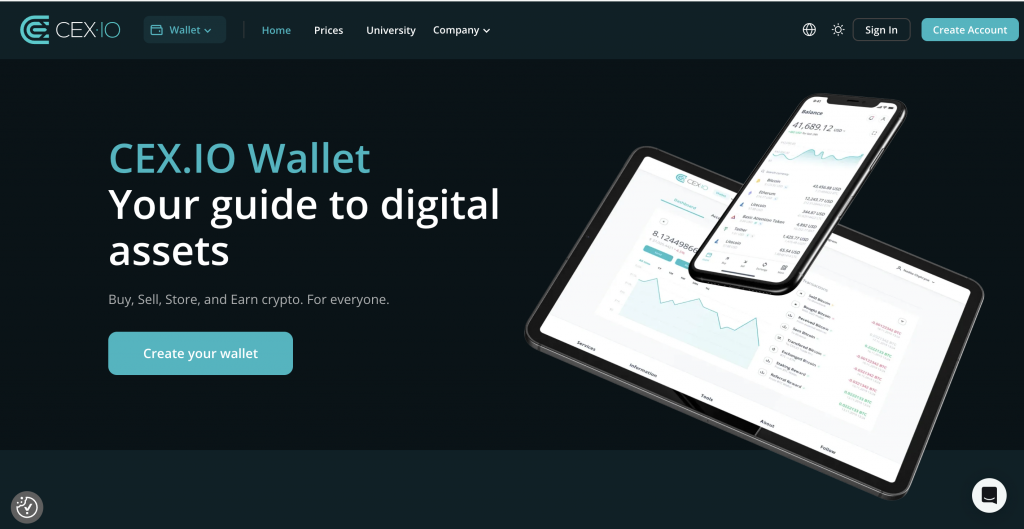
CEX.IO Wallet takes a custodial approach. You sign in, recover access if needed, and move between crypto and fiat without extra steps. Fees and prices appear upfront, which reduces guesswork.
Coinbase Wallet gives you full control over your assets, but you need to manage every step yourself, selecting the correct network, approving transactions, and covering gas fees from your balance.
CEX.IO works differently. You sign in, see the final price before confirming, and can move between crypto and fiat without switching platforms. If you lose access, you can restore it through verification, eliminating the risk of managing a recovery phrase.
Coinbase Wallet vs Trust Wallet
Both wallets rely on self-custody, but the experience differs once you start using them. Coinbase Wallet supports Ethereum, Polygon, and a few major networks, with a clean interface and clear transaction prompts.
Trust Wallet covers over 100 blockchains and millions of tokens, but that breadth adds complexity. During swaps, Trust Wallet may route through multiple providers, making final costs harder to predict. Coinbase Wallet shows clearer confirmations before signing.
Trust Wallet also requires manual token imports more often, while Coinbase Wallet detects common assets faster after receiving them.
Wallet Comparison Overview
To make the differences clearer, here’s how Coinbase Wallet, CEX.IO Wallet, and Trust Wallet compare across core areas:
| Feature | Coinbase Wallet | CEX.IO Wallet | Trust Wallet |
| Wallet Type | Self-custody | Custodial | Self-custody |
| Key Control | User holds private keys | Platform manages access | User holds private keys |
| Ease of Use | Moderate, requires manual steps | High, guided flows and clear prompts | Moderate to complex |
| Transaction Flow | Manual approval, on-chain | Platform-based execution | Manual approval, on-chain |
| Fee Visibility | Estimates before confirmation | Final price shown upfront | Varies by provider, less predictable |
| Recovery Access | No recovery without phrase | Account recovery via verification | No recovery without phrase |
| Fiat Access | Not supported directly | Built-in buy, sell, and withdrawal | Not supported directly |
Which Wallet Is Better for Beginners?
Beginners usually take advantage of a setup that reduces manual steps and error risk. Wallets that combine crypto access with clear pricing, guided transactions, and account recovery tend to feel more manageable at the start.
In this context, a custodial environment like CEX.IO can simplify the early experience, especially when buying, selling, or moving funds to fiat.
Self-custody wallets like Coinbase Wallet and Trust Wallet suit users ready to handle networks, fees, and recovery phrases independently.
FAQs
Is the Coinbase wallet a good idea?
Coinbase Wallet suits users who want direct control over their crypto and access to Web3 tools. You manage private keys and approve every transaction yourself. This setup works well if you understand networks and fees. If not, manual steps and the lack of recovery can pose a risk.
What’s the difference between Coinbase and Coinbase wallet?
Coinbase operates as a centralized platform where it stores your crypto and manages access. Coinbase Wallet is a self-custody wallet that stores private keys on your device. You control access and transactions directly, without relying on an intermediary to approve or reverse actions.
What are the disadvantages of the Coinbase wallet?
You must manage your recovery phrase yourself, with no way to restore access if lost. Transactions require manual network selection and gas fees. The interface can feel crowded when switching between swaps, NFTs, and dApps, especially if you are new to on-chain activity.
How do I get my balance out of the Coinbase wallet?
You need to send your crypto to a platform that supports fiat withdrawals. Enter the receiving address, confirm the network, and approve the transaction. After the funds arrive, you can convert them to fiat and withdraw using available payment methods on that platform.
Which one is better, Trust Wallet or Coinbase Wallet?
Coinbase Wallet provides a cleaner interface and clearer transaction confirmations. Trust Wallet supports more blockchains and assets but requires more manual input, such as adding tokens or selecting networks. The better choice depends on whether you prefer simplicity or broader asset coverage.
Do you own your crypto on Coinbase Wallet?
Yes. Coinbase Wallet stores your private keys on your device, so you control access to your crypto. No central entity can freeze or recover your funds. At the same time, you carry full responsibility for securing your recovery phrase and approving transactions correctly.