
Crypto markets run 24 hours a day, 7 days a week. Prices can move 10% in an hour while you sleep, work, or eat dinner. A crypto price alert app sends a push notification, an email, an SMS, or a phone call the moment a coin hits a level you set in advance. No charts to stare at. No checking the app every ten minutes. The alert finds you.
This guide compares the best crypto price alert apps for 2026. The list includes specialized alert services, exchange-native alert features, and free apps that double as portfolio trackers. Each entry has a card with the core features, pros, cons, and the type of user it suits best. The goal is to help you pick a tool that matches your trading style, the chains you trade on, and the channels you want notifications to reach.
Six features that separate a useful alert app from a noisy one
1. Notification channels
The alert does nothing if it never reaches you. Look for push notifications, email, SMS, phone calls, Telegram bots, Discord bots, Slack bots, browser notifications, and webhooks. Push and email are universal. SMS and phone calls usually belong to paid tiers.
A known issue in the US and Canada: SMS alerts with crypto-related keywords are often blocked by mobile carriers. Test the channel before relying on it for time-sensitive alerts.
2. Alert types
Different trading styles need different alerts. Long-term holders want simple price-level alerts at round numbers. Day traders want percentage moves in short windows, RSI crossings, and volume spikes. Whale watchers want wallet activity alerts. DeFi users want gas price alerts on Ethereum so transactions do not burn $50 in fees during congestion.
3. Supported coins and exchanges
Major apps cover 10,000 to 20,000 coins. Niche altcoins on small DEXes may not appear. CoinGecko and CoinMarketCap cover almost every listed asset. Cryptocurrency Alerting covers thousands of coins across 30+ exchanges. Exchange-native alerts only cover coins on that specific exchange. Check your watchlist against the app’s coverage before committing.
4. Free vs. paid tiers
Most dedicated alert apps cap the number of active alerts on the free tier. CoinGecko, CoinMarketCap, and exchange-native alerts on CEX.IO, Coinbase, Kraken, Binance, and Bybit are free. Cryptocurrency Alerting’s free tier includes a limited set of alerts; paid tiers ($15 to $50 per month in 2026) lift the cap and unlock phone calls and international SMS. TradingView alerts are tied to the chart platform subscription.
5. Reliability and delivery speed
An alert that arrives five minutes late during a fast market defeats the purpose. Modern alert systems deliver within 15 seconds under normal conditions. Look for user reviews about delivery speed during volatile days. Exchange-native alerts often have the tightest delivery time because they read their own price feed directly without an extra API hop.
6. Privacy and account requirements
Some alert services work without any sign-up — Coinwink sends to email with no account. Others need email plus phone. Exchange-native alerts need a full verified account. Pick based on the trade-off you want between privacy and feature depth.

The best crypto price alert apps in 2026
Dedicated alert apps are tools built specifically for monitoring crypto prices. They are not exchanges. You cannot trade on them. What they do well is run a flexible alert engine across many coins, many exchanges, and many notification channels. The list below covers the strongest dedicated alert apps in 2026, each with full feature, pros, and cons cards.
Cryptocurrency Alerting — most powerful dedicated alert service
Cryptocurrency Alerting is a standalone service built around alerts and nothing else. The platform covers thousands of coins across 30+ exchanges including Coinbase, Binance, Kraken, Bybit, KuCoin, BitMEX, and Bitfinex. The alert engine handles much more than simple price levels — percentage changes, periodic price updates, volume spikes, funding rates, market cap changes, Bitcoin dominance, ETH gas thresholds, exchange listings, whale wallet activity, and stock and ETF prices.
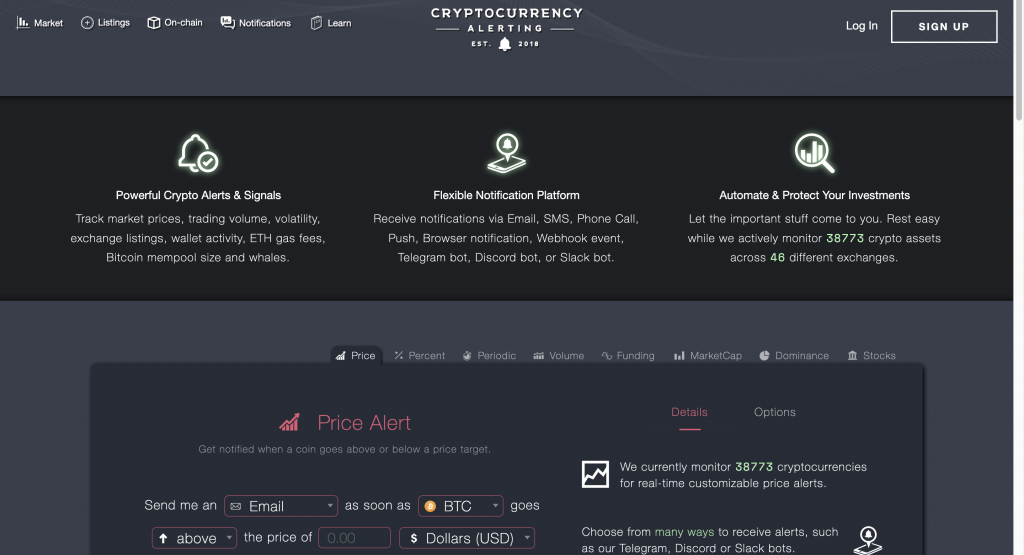
Features
- Coin coverage — thousands of cryptocurrencies.
- Exchange coverage — 30+ exchanges with real-time price feeds.
- Alert types — price level, percentage, periodic, volume, funding, market cap, dominance, gas, listings, whale wallets.
- Notification channels — push, email, SMS, phone call, Telegram, Discord, Slack, webhook, browser.
- Free Hobby tier and paid Trader, Pro, and Business tiers (roughly $15 to $50 per month).
- Webhook support for custom automation.
Pros
- Most flexible alert engine on the market.
- Best multi-channel delivery — phone calls and Telegram fill the gap when push fails.
- Cross-exchange coverage helps catch arbitrage moves and liquidity shifts.
- Good free tier for casual users.
Cons
- Steeper learning curve than simpler apps.
- Paid tiers required for unlimited alerts and international SMS.
- US and Canadian SMS delivery can be unreliable due to carrier filtering.
Why use it
Built for active traders who need wide customization and redundancy. If you trade across multiple exchanges and want a phone call to wake you up on critical moves, this is the strongest pick. Power users with custom automation needs can route alerts into webhooks and trigger external scripts.
CoinMarketCap — broadest coverage, simplest alerts
CoinMarketCap tracks more than 35,000 active crypto markets. The mobile app includes a free alert feature for any listed asset. Setup takes a few seconds — open a coin’s page, tap the bell, set price and direction. Push notifications deliver to iOS and Android. The product favors simplicity over depth.
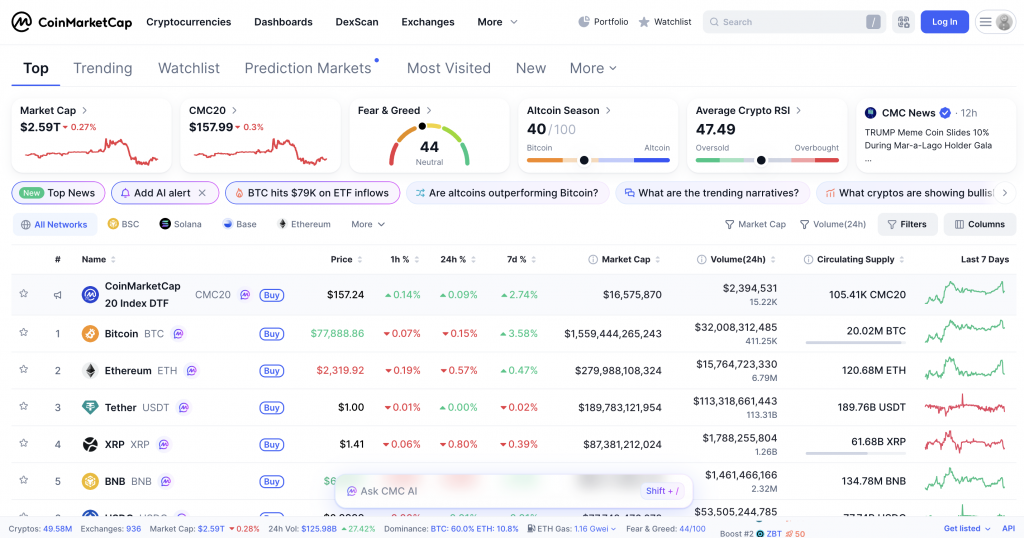
Features
- Coverage of 35,000+ crypto markets — broadest of any consumer alert app.
- Multiple alerts per asset.
- Free push notifications on iOS and Android.
- Watchlist that syncs between mobile app and laptop.
- Market overview, dominance, and Fear & Greed Index data.
Pros
- Broadest coin coverage of any free app.
- Free with no tier limits on alerts.
- Clean interface — fastest setup of any tool on this list.
- Trusted price reference used by most of the industry.
Cons
- Push notifications only — no email, SMS, or phone.
- No advanced alert types (no percentage, indicator, or volume alerts).
- Push reliability depends on mobile OS battery-saving settings.
- Cannot trade from the app.
Why use it
Best for casual users and long-term holders who want a calm, free monitoring tool. Anyone who needs more than basic price-level alerts will hit the limits within a few weeks of active use.
CoinGecko — best free alternative for portfolio watchers
CoinGecko provides similar coverage to CoinMarketCap with one extra perk: an Auto Price Alerts feature that automatically creates notifications for assets you have recently viewed. The alert tools cover any token or NFT collection on the platform. Setup is fast on both web and the mobile app. All alert features are free with a standard account.
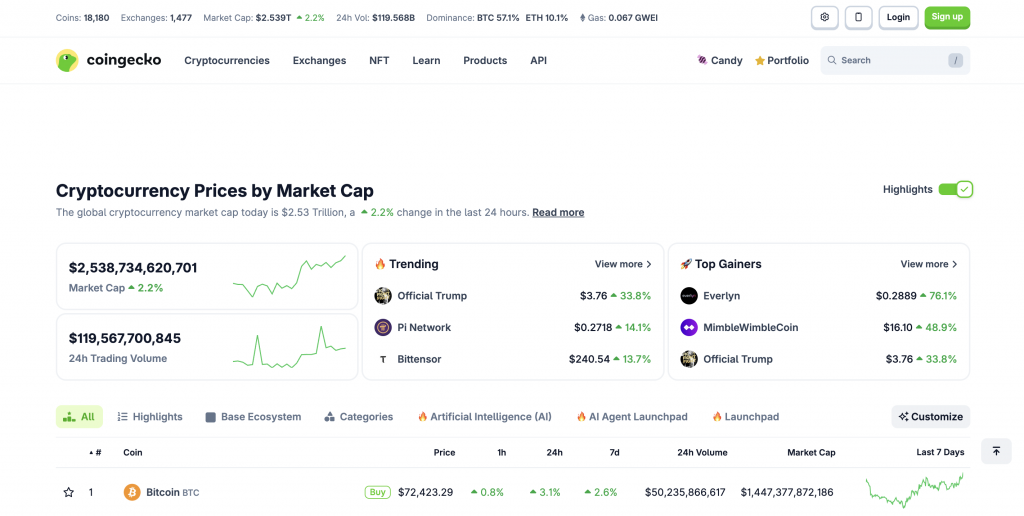
Features
- Token and NFT collection coverage.
- Auto Price Alerts on recently viewed assets.
- Unlimited alerts on the free tier.
- Trending coins and trending NFT data.
- Available on web and mobile.
Pros
- Free with no alert quota.
- Auto Price Alerts reduces manual setup work.
- NFT floor price alerts work for collectors.
- Trustworthy data feed used widely in the industry.
Cons
- Alerts are price levels only — no advanced types.
- Push notifications only on the mobile app.
- Cannot trade from the app.
Why use it
Best for users who watch a wide watchlist or who collect NFTs. The Auto Price Alerts feature handles the work of creating alerts on assets you research — useful for users who study many tokens before buying.
CoinStats — best alerts attached to portfolio tracking
CoinStats is a portfolio tracker first and an alert tool second. The platform supports 20,000+ coins from 300+ exchanges and 1,000+ DeFi protocols. Alerts cover price levels, portfolio value changes, and market conditions on holdings synced from connected wallets and exchanges. Free core alerts; advanced customization sits behind a paid subscription.
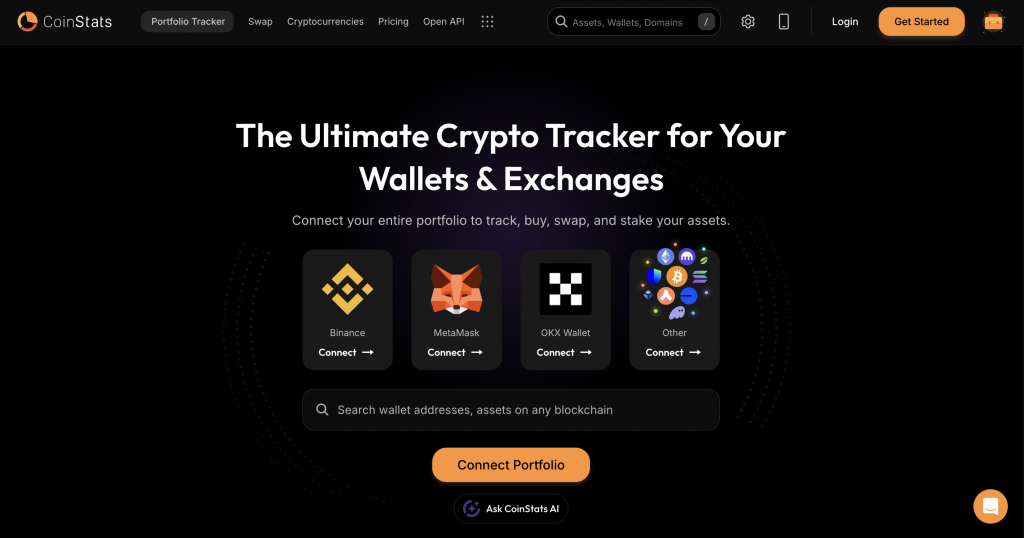
Features
- 20,000+ coins supported across 300+ exchanges and 1,000+ DeFi protocols.
- Portfolio-based alerts on connected wallets and exchanges.
- Price alerts and percentage alerts.
- Free core alerts; paid plans unlock advanced options.
- Multi-platform — iOS, Android, web, browser extension.
Pros
- Best fit for users with multi-wallet portfolios.
- Single dashboard for portfolio tracking, prices, and alerts.
- Strong DeFi protocol coverage.
- Free tier covers the basics.
Cons
- Setup time is longer than simple alert apps.
- Advanced alert types require a paid subscription.
- Push notifications only — no SMS or phone.
- Not designed for active trading execution.
Why use it
Best for users who manage holdings across many wallets and exchanges and want one place to track everything plus get price alerts. Active traders often need a more focused tool on top.
Top exchange-native alerts
Every major regulated exchange includes price alerts inside its mobile app. These alerts come free with a verified account, deliver fast because they read the exchange’s own price feed, and tie directly to the trading workflow. They cover only the exchange’s own listed assets, but for a trader who uses one exchange as the main venue, that limit is often a feature — fewer notifications about coins you do not trade.
The list below ranks the strongest exchange-native alert experiences in 2026.
1. CEX.IO — best for traders who want alerts and execution in one place
CEX.IO is a regulated centralized exchange with built-in monitoring features that pair with the rest of the trading product. The app supports a watchlist with live prices and 24-hour change data, full trading charts, portfolio tracking, and the kind of one-tap action — Instant Buy, Convert, Spot Trading — that turns a price move into a trade in seconds. Many active users pair the CEX.IO app with a dedicated alert service like Cryptocurrency Alerting: the alert service signals the move, the CEX.IO app handles the order.
Features
- Mobile app for iOS and Android with watchlist, live charts, and portfolio view.
- Coverage of 300+ trading pairs across major and mid-cap assets.
- Push notifications on key account and order events.
- Trading from the same app — Instant Buy, Convert, Spot Trading, stop-loss, take-profit.
- Multi-currency fiat wallet — USD, EUR, GBP.
- Card withdrawals in supported regions, plus SEPA, Faster Payments, Domestic Wire, and PayPal for eligible US users.
Pros
- Watchlist data is fast because the price feed comes from the exchange’s own order book.
- From signal to executed trade in two taps — no switching between apps.
- Strong regulatory standing — registered with FinCEN as a Money Service Business in the US, operating since 2013.
- Free for all verified users.
- Stop-loss and take-profit orders automate exits when price hits a level.
Cons
- Watchlist covers prices and 24-hour changes; complex indicator alerts belong on a dedicated tool.
- Coverage is limited to assets listed on CEX.IO — 300+ pairs is plenty for most users but does not match a 20,000-coin aggregator.
- Margin Trading is restricted in the US and EEA.
Why use it
Best for traders who already use CEX.IO for buying and selling and want one app for monitoring and execution. The watchlist plus stop-loss and take-profit orders automate the most common alert-driven actions — “sell if BTC drops to X” or “buy if ETH hits Y” — without needing a separate alert service. Pair it with Cryptocurrency Alerting or TradingView for advanced indicator alerts on top.

2. Kraken Pro — best exchange-native alerts on a major platform
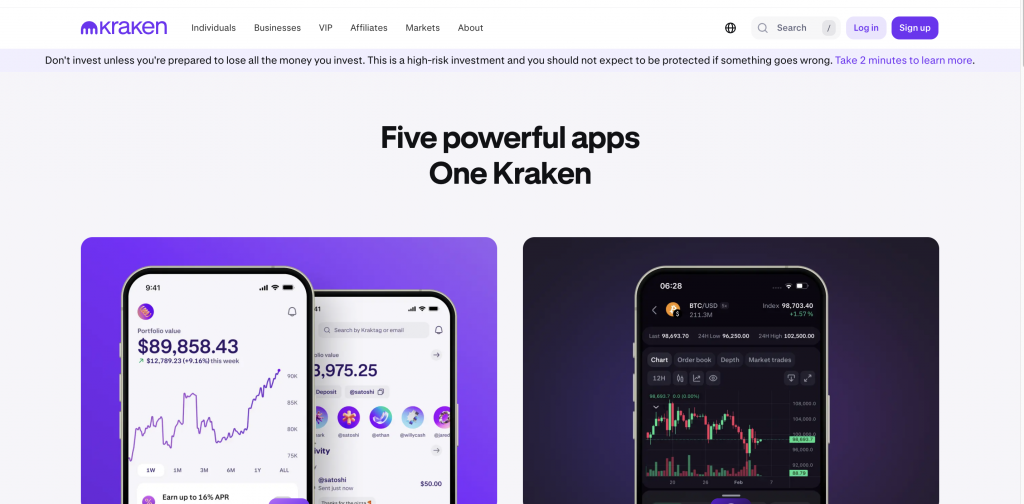
Kraken Pro launched its native price alert feature in late 2023 and continues to expand it. Alerts cover spot and futures markets, sync across web and mobile, and deliver as push notifications and browser pop-ups. A separate volatility alert system tracks unusual price moves on watchlisted assets without needing manual price levels. Setup happens directly on the chart — right-click a price level on Kraken Pro Web to add an alert in two clicks.
Features
- Native alerts for all spot and futures markets on Kraken.
- Web and mobile alerts sync automatically.
- Right-click chart setup on Kraken Pro Web — fastest workflow on any exchange.
- Volatility alerts on Watchlist favorites with 24-hour percentage and current price.
- Push notifications on iOS and Android, plus browser notifications with sound.
- Free for all verified Kraken users.
Pros
- Right-click-on-chart setup beats the manual entry workflow on most other apps.
- Free with no alert quota.
- Tight integration with Kraken Pro means alerts and trading sit in the same window.
- Volatility alerts catch unusual moves without manual level setting.
Cons
- Alerts only cover Kraken-listed assets.
- No SMS, email, or phone-call delivery — push and browser only.
- Futures alerts cannot be set from mobile; web only for that asset class.
- No advanced indicator triggers — price levels and volatility only.
Why use it
Best for users whose primary exchange is Kraken and who want zero-friction alert setup directly on the chart. The volatility alert layer is a nice touch — it catches surprises on watchlisted assets without manual level work. Pair it with a TradingView account for indicator alerts.
3. Coinbase — simplest setup for US users
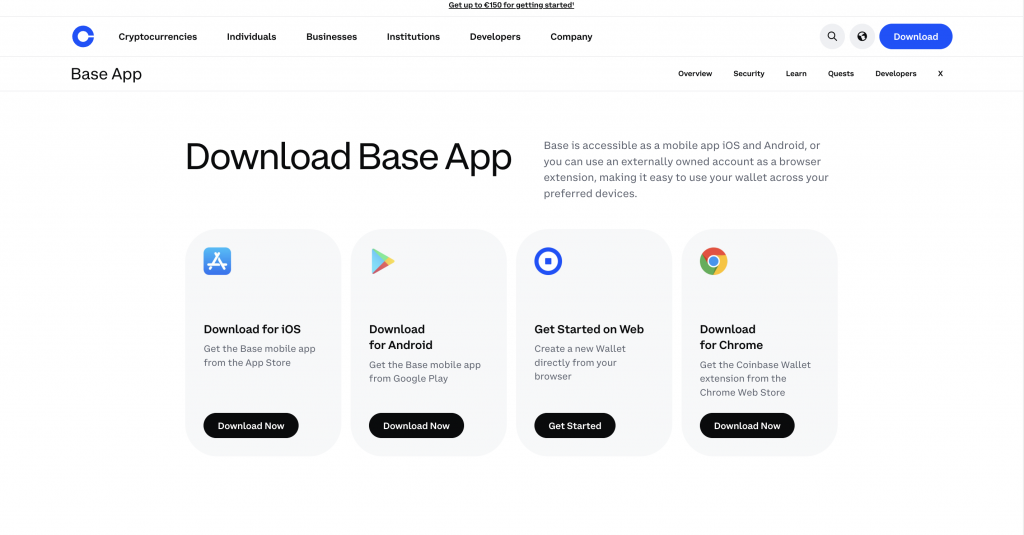
Coinbase builds price alerts directly into its mobile and web platforms for its 200+ supported assets. The system runs on the Coinbase price feed — fast, reliable, and tied directly to the user’s watchlist. Notifications deliver via push, in-app messages, or email. Setup takes seconds and the feature is free for all Coinbase users.
Features
- Price alerts on 200+ assets listed on Coinbase.
- Multiple alerts per asset with user-controlled frequency.
- Push, in-app, and email delivery.
- Tied to portfolio and watchlist data.
- Free for all users — no tiered pricing.
Pros
- Easiest setup on any exchange-native alert tool.
- Strong regulatory standing — Coinbase is publicly listed and based in the US.
- Reliable infrastructure with consistent delivery.
- Multi-channel notifications (push, in-app, email).
Cons
- Coverage is limited to Coinbase-listed assets.
- No technical or indicator-based alerts.
- Some users have reported inconsistent push notification delivery over time.
- Spread on trading is higher than several competitors.
Why use it
Best for US-based users new to crypto who want a single-platform setup with alerts and trading combined. The simplicity beats almost every other tool for first-time users. Active traders usually outgrow it within a few months.
4. Binance — broadest coin coverage on an exchange
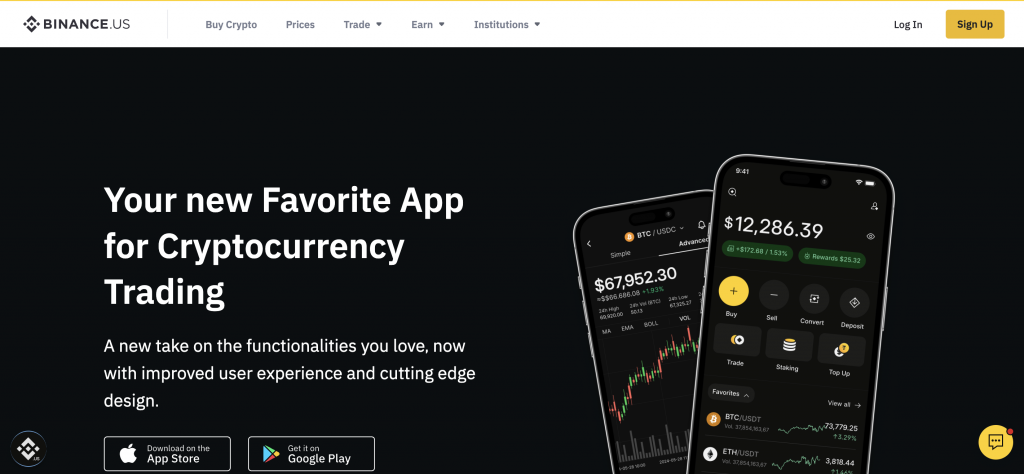
Binance offers price alerts through both the global Binance app and the US-focused Binance.US app. The system supports threshold-based notifications for over 500 cryptocurrencies, with delivery through push and email. Typical delivery time is under 15 seconds during normal market conditions. Binance.US users can set alerts as a fixed price level or as a percentage change with chosen frequency.
Features
- Price alerts on 500+ cryptocurrencies.
- Both fixed-price and percentage-change alert types.
- User-controlled notification frequency.
- Push and email delivery.
- Web and mobile interfaces with synced alerts.
- Free for all verified users.
Pros
- Broadest coin coverage of any major exchange.
- Fast delivery in normal conditions (under 15 seconds).
- Percentage-change option catches volatility events without manual level updates.
- Free for all account tiers.
Cons
- Binance.US restrictions and asset coverage differ from global Binance.
- Regulatory pressure in some regions has reduced product features over time.
- No phone call or SMS delivery.
- Push reliability varies by mobile OS battery-saving settings.
Why use it
Best for users who already trade on Binance or Binance.US and want alerts on a broad list of altcoins. Coin coverage beats most exchange-native alternatives. Active US users may prefer Coinbase or CEX.IO due to clearer regulatory standing.
5. Bybit — best for derivatives traders
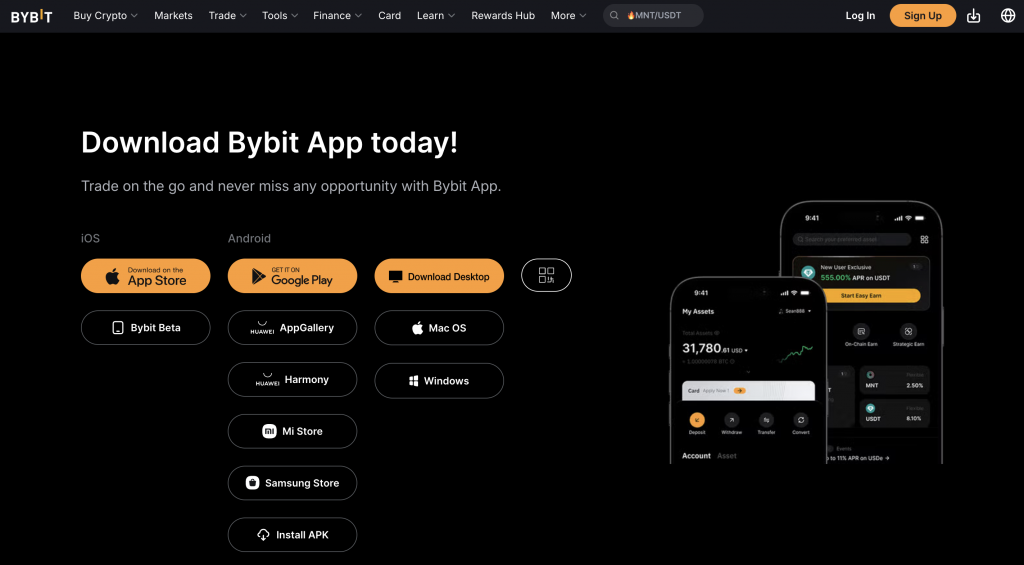
Bybit’s alert system covers spot, futures, and options markets. The platform serves over 40 million users globally and processes more than $500 million in daily volume. Native alerts handle price levels and percentage changes; advanced traders set up TradingView-based alerts that flow through to Bybit via the API for automated trade execution. The alert features come at no extra cost with a standard account.
Features
- Native price and percentage alerts on spot, futures, and options markets.
- 100+ coins and 300+ trading pairs on the spot market.
- TradingView chart integration — alerts can trigger on TradingView indicators.
- API support for automated trading via webhooks and bot platforms.
- In-app push notifications on mobile.
- Free for all verified users.
Pros
- Best derivatives coverage of any exchange-native alert system.
- Strong API and webhook support — popular among algorithmic traders.
- Free with the standard account.
- TradingView-style indicator alerts via integration.
Cons
- Not available to US users.
- Alerts only cover Bybit-listed assets.
- Push notifications only — no email, SMS, or phone call.
- Setup feels less polished than Kraken or Coinbase for new users.
Why use it
Best for derivatives and futures traders outside the US. The TradingView integration plus API access makes Bybit a natural fit for traders who run automated strategies. Spot-only users do not gain much over a Kraken setup.
How to pick the right app for your style
Match the tool to the use case. The five most common situations:
- Long-term holder checking prices weekly → CoinMarketCap or CoinGecko. Free, broad coverage, simple setup.
- Active trader on a single exchange → the exchange-native alerts on CEX.IO, Kraken, Coinbase, Binance, or Bybit. Pair with TradingView or Cryptocurrency Alerting for advanced triggers.
- Active trader across multiple exchanges → Cryptocurrency Alerting for cross-venue coverage and a wider choice of channels.
- Technical trader using indicators → TradingView. No other app handles RSI, MACD, and custom Pine Script at the same depth.
- User who needs phone calls for emergency alerts → Cryptocurrency Alerting paid tier. Phone calls cut through Do Not Disturb on most phones; push notifications often do not.
- User who wants zero sign-up → Coinwink via email.
- Portfolio tracker who wants alerts as a bonus → CoinStats.
Setup tips to avoid alert fatigue
Three habits keep alerts useful:
- Anchor each alert to a meaningful price — support, resistance, a round number people watch, or a personal target. Random prices create random noise.
- Set two alerts per asset, one above and one below the current price. You hear about the move either way. More than three alerts per asset usually creates a trigger cascade during volatile moves.
- Prune monthly. Delete alerts that no longer reflect your view. Fresh alerts fire for a reason; old ones fire from forgotten plans.
Common problems and fixes
- Push notifications silent — check the phone’s Do Not Disturb mode and the app’s notification permissions in system settings. Battery-optimization features on Android can also kill background alerts.
- SMS not arriving — try push, Telegram, or phone call as a backup. US and Canadian carriers sometimes block SMS with crypto-related keywords.
- Wrong pair triggers — BTC/USDT and BTC/USD prices differ slightly. Confirm which trading pair the alert reads.
- Alert fires repeatedly — set frequency to Only Once or Once Per Bar so a single level does not trigger ten times in ten minutes.
- Old alerts firing in unexpected ways — review active alerts after a market regime change. Fresh alerts on current support and resistance levels filter out noise from old plans.
About CEX.IO
CEX.IO launched in 2013 with a mission to support global financial inclusion through the adoption of cryptocurrency and blockchain technology. As one of the most tenured market participants, CEX.IO runs an intuitive ecosystem of solutions built with user safety at the core. Customers can trade, store, transfer, and earn digital assets on the platform. More than 15 million registered users globally use CEX.IO every day across retail, enterprise, and institutional needs.

CEX.IO is registered with FinCEN in jurisdictions where it holds a license to operate as a Money Service Business. The company follows local regulations in the U.S., Europe, and other countries where it operates.
How to track prices on the CEX.IO app
The CEX.IO mobile app gives a clean monitoring setup. Core features:
- Watchlists — follow favorite pairs across 300+ markets.
- Live charts — 24-hour change, volume, and bid/ask data on every listed pair.
- Portfolio view — real-time updates on holdings.
- Stop-loss and take-profit orders — automate exits when price hits a level. The closest thing to an alert that also acts.
- Instant Buy, Convert, Spot Trading — all in the same app, so the move from signal to executed trade takes seconds.
Many users pair the CEX.IO app with a dedicated alert service. The alert app signals the move; the CEX.IO app handles the trade. Download from the App Store or Google Play.
The availability of the product, feature, or asset on the CEX.IO platform is subject to jurisdictional limitations.
FAQ
What is the best crypto price alert app in 2026?
Cryptocurrency Alerting covers the widest range of alert types and channels and tops the list for active traders. CEX.IO works well for users who want monitoring and execution in the same app. TradingView leads for chart and indicator alerts. CoinMarketCap and CoinGecko are the best free options for casual monitoring. The right pick depends on how often you trade and which channels you need.
Does Kraken have price alerts?
Yes. Kraken Pro launched native price alerts in late 2023. Alerts cover spot and futures markets, sync between web and mobile, and deliver as push and browser notifications. Setup happens directly on the chart with a right-click. Free for all verified users.
Does Bybit support price alerts?
Yes. Bybit’s alert system covers spot, futures, and options. Native price and percentage alerts plus TradingView-based alerts via API integration. Free with a standard account. Not available to US users.
Are crypto price alerts free?
Most exchange-native alerts (CEX.IO, Coinbase, Kraken, Binance, Bybit) and most aggregator apps (CoinMarketCap, CoinGecko) are free. Cryptocurrency Alerting and TradingView offer free tiers with limits and paid tiers that unlock unlimited alerts and extra channels.
How do I get crypto alerts on iPhone?
Install a crypto alert app from the App Store — Cryptocurrency Alerting, TradingView, CoinGecko, CoinMarketCap, or your exchange app. Allow push notifications during setup. Check Settings > Notifications to confirm the app is allowed to send alerts while your phone is locked.
Which apps send SMS alerts for crypto?
Cryptocurrency Alerting, Coinwink (paid), and TradingView (paid) support SMS. Delivery can fail in the US and Canada because carriers block SMS with crypto-related keywords. Test before relying on SMS for urgent alerts.
Can I set percentage-change alerts?
Yes. Cryptocurrency Alerting, TradingView, Binance, Bybit, and most modern alert apps support percentage alerts with a time window — for example, notify me when BTC moves 5% in 1 hour.
Should I trust exchange-native alerts or a third-party app?
Exchange-native alerts deliver fastest because they read the exchange’s own price feed. Third-party apps win on breadth — more channels, more alert types, and cross-exchange coverage. Many active traders run both.
Risk disclaimer
The value of digital and virtual currencies is derived from supply and demand in the global marketplace, which can rise or fall independently of any fiat or government currency. Holding digital and virtual currencies carries exchange rate and other types of risk. Transactions in virtual currency are irrevocable, and losses from fraudulent or accidental transactions may result in the loss of your money with no recourse. Please refer to the Terms of Use for more details.