
A crypto wallet for mining is the wallet that receives your mining rewards. You paste its address into your pool account or miner settings, and the pool sends every payout to that address. The best crypto wallet for mining depends on what you plan to do with the coins after they arrive.
Some miners sell their rewards every week to pay for electricity. Others keep mined bitcoin for years. A third group runs a small solo miner at home and waits for a lucky block. Each group needs a different kind of wallet.
Here are the quick picks for each goal:
- To sell or convert rewards: CEX.IO Wallet
- To store mined coins for the long term: Ledger, Trezor or Tangem
- To solo mine Bitcoin at home: Sparrow Wallet or Electrum
The sections below explain how a mining wallet works, which features to check before you pick one, and how to turn a pool payout into cash.
What is a crypto wallet for mining?
A crypto wallet for mining is a regular crypto wallet that you use as the payout destination for mining rewards. The wallet itself does not mine. Your hardware does the mining, the pool tracks your share of the work, and the wallet stores the coins the pool sends.
Every wallet has a public address and a set of private keys. The address works like an account number: you give it to the pool, so the pool knows where to send coins. The private keys prove ownership and let you spend the coins. Whoever holds the keys controls the rewards.
Custodial vs non-custodial mining wallets
A custodial wallet is a wallet where a company holds the private keys for you. Exchange wallets, CEX.IO Wallet among them, work this way. You sign in with a password and two-factor authentication, and the company can help you restore access if you lose the password. You trust the company to keep the coins safe and to process your withdrawals.
A non-custodial wallet is a wallet where you hold the private keys yourself. Ledger, Trezor, Tangem, Sparrow Wallet, Electrum and Trust Wallet belong to this group. Most of them give you a recovery phrase of 12 or 24 words. Anyone with that phrase can move your coins, so you keep it offline and never share it.
Hot wallets vs cold wallets for miners
A hot wallet is a wallet that stays connected to the internet: a mobile app, a desktop program or an exchange account. Hot wallets make it easy to receive frequent payouts and send coins to an exchange. Their online connection also makes them a target for malware and phishing.
A cold wallet is a device that keeps private keys offline. Hardware wallets sign transactions inside the device, so the keys never touch your computer. Cold wallets suit miners who build a long-term stack and move coins rarely.
Many miners use both types. The pool pays into a hot wallet, and the miner moves savings to a cold wallet once a month.
Why do you need a crypto wallet for mining?
You need a crypto wallet for mining because a pool cannot pay you without an address. When you register with a pool or configure a miner, the setup form asks for a payout address. The pool sends every reward to that address, so the wallet behind it decides who controls your income.
The wallet also shapes how often you get paid. Pools collect your earnings on their side until the total reaches a payout threshold. At that point the pool sends the coins on-chain and pays the network fee. A wallet that accepts small, frequent payouts lets you set a lower threshold and access your coins sooner.
Miners who run Scrypt hardware often earn two coins at once. Litecoin and Dogecoin share the Scrypt algorithm, and some Litecoin pools pay Dogecoin rewards through merged mining. A miner in this setup needs a wallet that accepts both LTC and DOGE.
A wallet keeps the payout history too. Every deposit shows the date, amount and coin. You need this record for taxes, because US tax rules count mined coins as income on the day you receive them.
Finally, the wallet is the first step toward spending or selling. Coins sitting in a pool account earn nothing and stay out of reach. Coins in a wallet can go to an exchange, into cold storage or straight to a sale.
How to choose a crypto wallet for mining
The right wallet supports every coin you mine, accepts your pool’s address format and fits your plan for the rewards. Check these points before you paste an address into a pool:
- Coin support: BTC, LTC, DOGE, BCH, KAS or any other coin your hardware earns
- Address format: the format your pool accepts for payouts
- Deposit fees: whether the wallet charges anything to receive coins
- Selling and converting: whether you can exchange coins for fiat or other crypto inside the wallet
- Security: two-factor authentication, cold storage or a hardware chip that guards the keys
- History export: a transaction report you can hand to an accountant
Coin support comes first. A Bitcoin-only wallet cannot receive Kaspa, and a pool payout sent to the wrong network can disappear for good. Confirm that the wallet lists the exact coin and network before the first payout.
Address format comes next. Bitcoin addresses start with 1, 3, bc1q or bc1p, and each prefix marks a different address type. Most modern wallets create bc1q addresses by default. Pools differ in the formats they accept, so test the address in the pool settings before you rely on it.
The last two checks depend on your goal. A miner who sells weekly needs a wallet with a built-in exchange and fiat withdrawals. A miner who holds for years needs strong key protection and a clean history for tax season.
Best crypto wallets for mining in 2026
The best crypto wallet for mining in 2026 is CEX.IO Wallet for miners who sell or convert rewards, and a hardware wallet for miners who hold. The table compares six options as of November 2026.
| Wallet | Type | Who holds the keys | Best for |
|---|---|---|---|
| CEX.IO Wallet | Exchange wallet (web, iOS, Android) | CEX.IO | Receiving payouts and selling or converting them |
| Ledger | Hardware wallet | You | Long-term storage of several coins |
| Trezor | Hardware wallet | You | Open-source cold storage |
| Tangem | Hardware card | You | Cold storage managed from a phone |
| Sparrow Wallet / Electrum | Desktop Bitcoin wallet | You | Solo Bitcoin mining and coin control |
| Trust Wallet | Mobile and browser wallet | You | Multi-coin payouts on a phone |
CEX.IO Wallet: best for miners who sell or convert rewards
CEX.IO Wallet is the wallet inside a CEX.IO account. It runs on the web and in the CEX.IO App for iOS and Android. CEX.IO started in 2013 and grew out of early cloud mining products and the GHash.IO pool, so the platform has served miners since its first year.
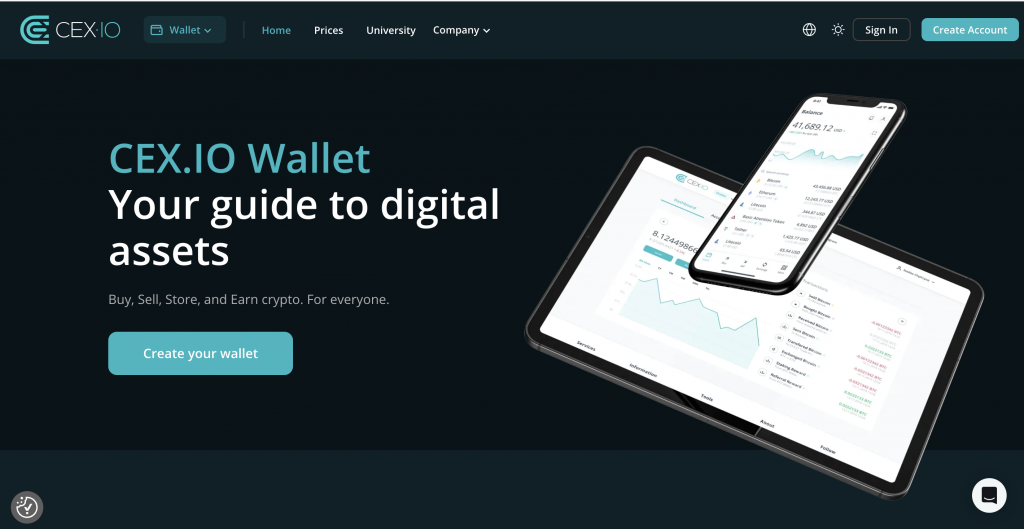
The wallet gives you a deposit address for each supported coin. US customers can hold BTC, LTC, DOGE, and BCH, the main coins that home and pool miners earn. CEX.IO also runs a Kaspa wallet in regions where it supports KAS.
The main reason to pick CEX.IO is the path from payout to cash. The pool sends coins to your CEX.IO address. You then convert them to another crypto or sell them for USD, EUR or GBP and withdraw the money in the same app. CEX.IO stores 98% of digital funds in offline cold wallets, and the account uses two-factor authentication and email confirmation for transfers.
CEX.IO holds the keys, so you need a verified account and you depend on CEX.IO for withdrawals. Feature availability depends on your country and account status.
Ledger: hardware wallet for long-term storage
Ledger makes hardware wallets that keep private keys on a certified secure chip. The current range includes Nano S Plus, Nano X, Nano Gen5, Flex and Stax. The Ledger Wallet app manages more than 500 coins, and third-party apps add thousands more.
Ledger suits miners who collect several coins and want one device for all of them. You confirm every receive address on the device screen, which protects payouts from address-swapping malware. You keep a 24-word recovery phrase as the backup.
Trezor: open-source hardware wallet
Trezor makes open-source hardware wallets. Trezor Safe 3 and Safe 5 carry an EAL6+ certified chip and support thousands of coins and tokens through the Trezor Suite app. Trezor also sells Bitcoin-only editions.
The Bitcoin-only edition runs less code, which gives attackers fewer points to target. Trezor supports 12, 20 and 24-word backups and a multi-share backup that splits recovery across several cards.
Tangem: card wallet managed from a phone
Tangem is a hardware wallet in the form of an NFC card. You tap the card on your phone to approve transactions in the Tangem app. The chip carries EAL6+ certification, and Tangem lists support for more than 14,100 assets on over 90 networks.
A set holds two or three cards that share the same wallet, so a spare card works as the backup. Tangem lets you create keys on the chip with no seed phrase. As of November 2026, the 2-card set costs $54.90 and the 3-card set costs $69.90 on the Tangem site.
Sparrow Wallet and Electrum: Bitcoin wallets for solo miners
Sparrow Wallet is a desktop Bitcoin wallet with coin control, hardware wallet support and a direct connection to your own Bitcoin Core node. Electrum is a lightweight Bitcoin wallet that Thomas Voegtlin created in 2011. It runs on Windows, macOS, Linux and Android and supports multisig.
Both wallets fit solo miners who run a Bitaxe, a NerdMiner or a full ASIC at home. Coin control helps when a pool sends many small payouts. You can merge those small outputs in one transaction when network fees are low.
Trust Wallet: multi-coin mobile wallet
Trust Wallet is a free self-custody wallet for iOS, Android and desktop browsers. It supports more than 100 blockchains, and it stores private keys on your device.
Trust Wallet works for miners who want one phone app for BTC, LTC and DOGE payouts. Trust Wallet does not mine crypto. Scammers use the name in fake “Trust Wallet mining pool” schemes, so ignore any offer that promises mining income from inside a wallet app.
How to set up a crypto wallet for mining
Setting up a mining wallet takes three moves: open the wallet, copy a receive address and paste it into your pool or miner. The steps below use CEX.IO as the example.
How to register on CEX.IO and get a deposit address
You create the account in the CEX.IO App, verify your identity and then copy the address for the coin you mine (CEX.IO Support).
- Download the CEX.IO App and tap Create your account.
- Enter your email, create a password and choose your country of residence.
- Open the confirmation email and confirm the address.
- Complete identity verification: home address, ID scan, face scan and phone number.
- Open Profile, then Security, and turn on two-factor authentication.
- On the home screen, tap Add Funds and pick the coin you mine.
- Select the network if the app asks, then copy the address or scan the QR code.
The network in step 7 has to match the coin your pool pays. CEX.IO warns that it cannot credit BCH sent to a BTC address, and the same rule holds for any pair of coins (CEX.IO Support).
How to add the wallet address to a mining pool
Most pools keep the payout address in the account settings. Menu names differ from pool to pool. The flow stays the same.
- Sign in to your pool dashboard.
- Open the wallet, payout or settings page.
- Paste the address for the coin you mine.
- Confirm the change with the email code or 2FA code the pool sends.
- Set the payout threshold.
Check the first and last six characters of the pasted address against the wallet. Clipboard malware can replace a copied address with an attacker’s address, and the pool will send your rewards there without warning.
CEX.IO replaced deposit addresses for many assets, BTC included, between April and September 2026. If your pool still pays to an older CEX.IO address, copy the new one from the app and update the pool settings.
How to set a payout address on Bitaxe or NerdMiner for solo mining
A solo miner has no pool account. The device sends your Bitcoin address straight to the solo pool, and a found block pays out to that address.
On a Bitaxe, open the AxeOS page in your browser and enter the solo pool’s stratum URL and port. Put your Bitcoin address in the stratum user field, often followed by a dot and a worker name. On a NerdMiner, connect to the device’s Wi-Fi setup page and type your Bitcoin address in the address field. Use a non-custodial Bitcoin wallet such as Sparrow or Electrum for solo mining, because a block reward is a large one-time payment and you want full control of it.
How to choose a payout threshold
The payout threshold is the amount your pool waits for before it sends coins. A low threshold gets coins to you faster. A high threshold cuts the share of each payout that goes to network fees when the pool charges that fee to you.
Here is a simple example with round numbers. A network fee of 0.00002 BTC on a 0.0005 BTC payout takes 4% of the payout. The same fee on a 0.005 BTC payout takes 0.4%. Check how your pool handles fees, then pick the lowest threshold that keeps the fee share small.
How to sell mined crypto
To sell mined crypto, you move the coins to an exchange wallet, sell them for fiat and withdraw the money to a card or bank. If your pool already pays into CEX.IO Wallet, you can skip the first step. If the coins sit in a hardware or desktop wallet, send them to your CEX.IO deposit address first.
These steps follow the CEX.IO App:
- Sign in to the CEX.IO App.
- Tap Send on the home screen.
- Choose the coin you mined, for example BTC or LTC.
- Enter the amount and pick where the fiat proceeds go.
- Tap Proceed to confirm the sale.
The sale credits fiat to your account. To withdraw it, open the Wallet tab, tap Send, choose the currency and select a card, a bank transfer or another available method. You confirm the withdrawal with your 2FA code. CEX.IO usually confirms bank transfers within one to three business days, and your bank can add time on its side.
You can also convert mined coins into another crypto. A miner who earns DOGE through merged mining can convert it to BTC and hold one asset.
Taxes on mining rewards
In the US, mined crypto is taxable income. The IRS counts the fair market value of the coins on the date you receive them as gross income. If mining is your own trade or business, the IRS also treats net mining earnings as self-employment income (Q-9).
A sale creates a second tax event. The coin’s value on the day you received it becomes your cost basis, and the difference at sale is a capital gain or loss. Export your payout history from the wallet every year, because each payout needs its own date and value. Tax rules differ by country, so check them with a tax adviser before you file. This article does not give tax advice.
How to keep mining rewards safe
Mining rewards stay safe when you control who can change the payout address and who can move the coins. An attacker needs only one of the two to take your rewards.
Protect the pool account first. Turn on two-factor authentication in the pool and in the wallet, and use a unique password for each. An attacker who opens your pool account can swap the payout address and collect every future reward.
Verify every address before you save it. On a hardware wallet, compare the address on the device screen with the one in the pool settings. On an exchange wallet, compare the first and last characters with the address in the app.
Keep the recovery phrase offline. Write it on paper or a metal plate and store it away from the mining rig. Never type it into a website, a chat or a cloud note. No pool, wallet or support agent will ever ask for it.
Ignore “wallet mining” offers. Some apps and websites claim that your wallet can mine crypto on its own after you connect it or approve a contract. Wallets only store keys, so these offers are scams that drain the connected wallet.
Split the job between two wallets. Let the pool pay into a hot wallet that you use for selling and fees. Move the coins you plan to hold into a cold wallet on a fixed schedule, for example once a month when network fees run low.
FAQ
What is the best wallet for Bitcoin miners?
The best wallet for Bitcoin miners depends on the plan for the coins. CEX.IO Wallet fits miners who sell or convert BTC often. A hardware wallet like Ledger or Trezor fits miners who hold, and Sparrow Wallet or Electrum fits solo miners.
Can I use an exchange wallet for mining payouts?
Yes, you can use an exchange wallet for mining payouts if the exchange supports the coin and network your pool pays. The exchange holds the keys, so you depend on it for withdrawals. Check that the deposit address in your pool matches the current address in the exchange app.
Is wallet mining real?
No, wallet mining is not real. A wallet stores keys and cannot produce new coins. Apps that promise income from “mining” inside a wallet usually ask you to approve a contract that lets them drain your funds.
Can I use a mobile Bitcoin wallet for mining?
Yes, a mobile Bitcoin wallet can receive mining payouts. The phone does not mine. You copy the wallet’s receive address into the pool or your solo miner, and the payouts land in the app.
Can I use one wallet address for several mining pools?
Yes, several pools can pay to the same address. A separate address per pool makes it easier to track which pool paid what. Most wallets create a fresh address for every request, so you can give each pool its own address at no cost.
What happens if the pool’s minimum payout is lower than the network fee?
A payout that small loses a large share to the network fee. Raise your payout threshold, so the pool sends fewer, larger payouts and the same fee takes a smaller percentage of each one.
Can the IRS see your crypto wallet?
The IRS can see activity that passes through US brokers. Starting with 2025 transactions, US brokers report gross proceeds from digital asset sales to the IRS on Form 1099-DA. Every on-chain transaction is also public, so you report mining income whether or not the coins sit on an exchange.