
Speculation about the CLARITY Act has once again shown how sensitive the crypto market can be to U.S. policy developments. As Bitcoin price predictions turn more bullish and interest in digital assets grows, finding the best place to buy crypto in the U.S. becomes increasingly important for both new buyers and active traders.
In this guide, our experts compare CEX.IO, Kraken, eToro, Gemini, and Binance.US to determine which one delivers the best overall experience for U.S.-based users.
Quick Comparison of the Best Crypto Exchanges in the U.S.
Before we take a closer look at each platform, the table below outlines their main features side by side. We highlight who each platform is best suited for, how to fund your account, and which withdrawal options are available.
| Exchange | Best For | Instant Purchase | Payment Methods | Minimum Deposit | ACH Deposit Fee | Withdrawal Options | Mobile App |
| CEX.IO | Beginners and traders who want simple purchases with a clean trading interface | Yes (Instant Buy) | Debit/credit cards, ACH via Plaid, PayPal, Apple Pay, Google Pay | Around $20 | $5 flat fee | ACH transfers, debit/credit cards | iOS and Android |
| Kraken | Experienced traders looking for advanced tools and deep liquidity | Yes (Buy Crypto) | ACH via Plaid, debit cards, PayPal, FedWire, SWIFT | $1 (ACH) | Free | ACH, FedWire, SWIFT | iOS and Android |
| eToro | Social trading and portfolio-based strategies | Yes | Debit cards, ACH transfers, PayPal | Around $10 | Free | Processed through the original deposit method when possible | iOS and Android |
| Gemini | Security-focused users who want simple purchases and advanced trading tools | Yes | ACH transfers, debit cards, PayPal, Apple Pay, Google Pay | No strict minimum for ACH transfers | Free | ACH transfers and bank wires | iOS and Android |
| Binance.US | Traders who prefer a data-rich trading environment | Yes | ACH transfers, debit cards, Apple Pay, Google Pay | Varies by payment method | Free | ACH transfers and supported bank wires | iOS and Android |
1. CEX.IO
CEX.IO is one of the best sites to buy crypto in the U.S. It is easy to navigate, offers an intuitive trading interface, and includes enough advanced trading tools to ensure you do not outgrow it as your trading experience grows.
| Best For | Instant Purchase | Payment Methods | Minimum Deposit | ACH Deposit Fee | Withdrawal Options | Mobile App |
| Beginners and traders who want simple purchases with a clean trading interface | Yes (Instant Buy) | Debit/credit cards, ACH via Plaid, PayPal, Apple Pay, Google Pay | Around $20 | $5 flat fee | ACH transfers, debit/credit cards | iOS and Android |
Ease of Use
CEX.IO’s website is one of the cleanest we have had the opportunity to try. Right off the bat, you’ll notice how simple and smooth the navigation is. You can view price lists that show each listed asset’s current market rate across multiple time frames, and even highlight the hottest trading pairs for those interested in exploring them.
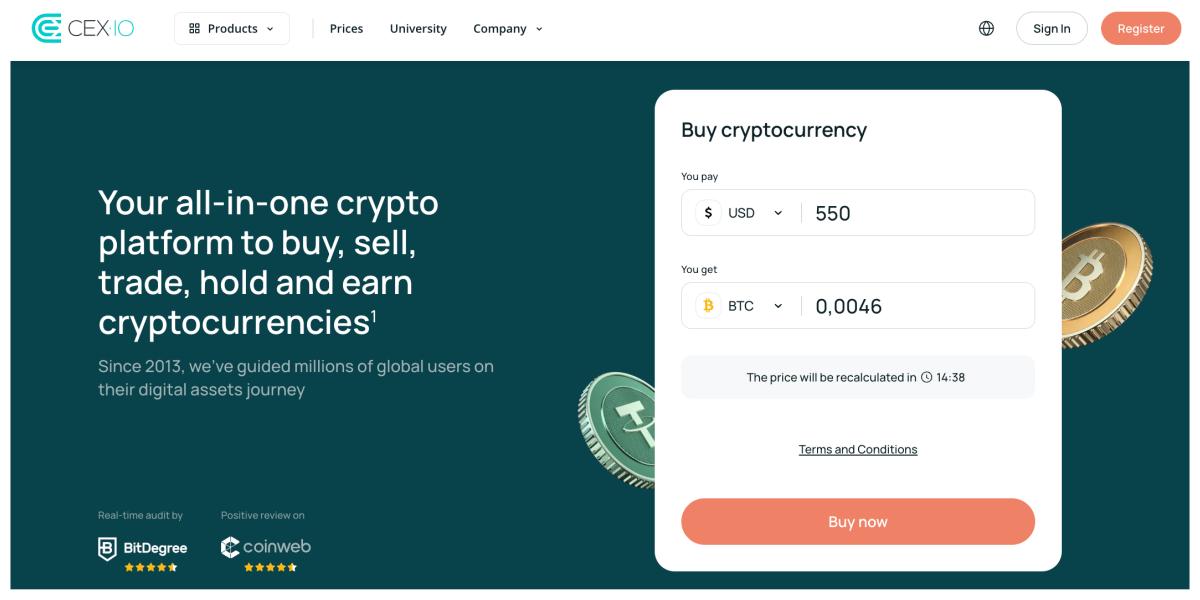
There’s also the University tab, which features guides, tutorials, and explainers for enthusiasts with varying experience levels. Features and services are conveniently tucked under the Products menu, from which you can easily access the trading interface, APIs, Instant Buy, and your wallet.
CEX.IO’s trading interface follows a clear left-to-right layout, displaying the market price, order book, buy and sell forms, and recent trades without unnecessary clutter. Core sections such as balances, reports, and funding are visible at the top level, which keeps navigation straightforward. Buy and sell actions are clearly separated, while slippage controls and a fee preview provide useful cost transparency before execution.
Features
Although it’s not as feature-rich as Kraken or Gemini, CEX.IO offers enough tools to satisfy both freshmen entering the world of crypto and experienced traders with over a decade behind them.
Instant Buy is one of the tools beginners will most definitely love. It’s not a unique feature, in all honesty, as most U.S. exchanges offer a similar solution. But it is one of the most straightforward to use, especially if you rely on the CEX.IO App. Desktop users can easily access the Buy Cryptocurrency menu from their dashboard or by navigating to Instant Buy from the Products menu. From there, you simply choose the fiat currency you want to use, specify the amount, select the asset you want to buy, and proceed to the checkout page. On CEX.IO, this page is called “Add Funds. We were initially a bit confused by the naming, but the process works, and that’s what matters. We also appreciate that this extra step has been removed in the mobile app, making the purchasing flow noticeably smoother.”
As for mobile users, if you use an app, you only need to tap Buy, choose the cryptocurrency, and enter the amount before proceeding to checkout. That’s it, nice and smooth.
For more experienced traders, Spot Trading provides access to order books, market depth, and standard order types, including market and limit orders. You can monitor liquidity, track recent trades, and execute strategies directly within the trading interface. While this environment provides the essential tools for active trading, it does not offer the same advanced order types, workspace customization, or deep derivatives markets as platforms like Kraken or Gemini.
For beginners who want to avoid trading screens altogether, CEX.IO Convert offers an even simpler route. This tool allows you to exchange fiat or crypto for another asset in a single click. Instead of placing orders or analyzing order books, you simply choose the assets you want to swap and confirm the conversion.
Deposits & Withdrawals
U.S.-based users can buy crypto at CEX.IO with their credit and debit cards, Google Pay and Apple Pay, PayPal (for U.S. customers only), and bank accounts through ACH via Plaid.
The minimum deposit depends on the payment method you choose, but in most cases it starts at around $20.
ACH deposits at CEX.IO carry a $5 flat fee, which is higher than what we saw at Kraken, where ACH transfers are typically free. However, we did notice that CEX.IO offers more withdrawal options, which we couldn’t overlook. Besides ACH transfers, which are fairly standard nowadays, we were also able to cash out to our credit or debit cards.
This didn’t surprise us too much, considering CEX.IO was one of the first crypto exchanges to introduce card purchases in the first place. What did stand out, however, is that CEX.IO remains among the few platforms that still offer this type of withdrawal gateway for users.
Pros and Cons
Pros
- Clean and intuitive trading interface
- Beginner-friendly Instant Buy tool
- Spot trading environment with a clear order book layout
- Multiple payment methods, including cards, PayPal, and mobile wallets
- Ability to withdraw funds directly to debit or credit cards
- Mobile app simplifies the purchase process even further
Cons
- ACH deposits include a $5 flat fee
- Some menu naming (such as Add Funds during purchase) can feel slightly confusing at first
- Limited derivatives or professional trading tools

2. Kraken
Kraken is one of the most established crypto exchanges operating in the U.S. The exchange is known among experienced traders for its deep liquidity and extensive trading toolkit. It offers a wide range of markets, advanced order types, and derivative products. At the same time, Kraken still provides a simplified purchase flow for users who only want to buy crypto quickly.
| Best For | Instant Purchase | Payment Methods | Minimum Deposit | ACH Deposit Fee | Withdrawal Options | Mobile App |
| Experienced traders looking for advanced tools and deep liquidity | Yes (Buy Crypto) | ACH via Plaid, debit cards, PayPal, FedWire, SWIFT | $1 (ACH) | Free | ACH, FedWire, SWIFT | iOS and Android |
Ease of Use
Kraken’s website presents more information upfront than CEX.IO, which you’ll likely notice the moment you land on the homepage. Navigation menus give you quick access to markets, staking tools, funding options, and educational materials, while the dashboard highlights account balances, recent activity, and price movements.
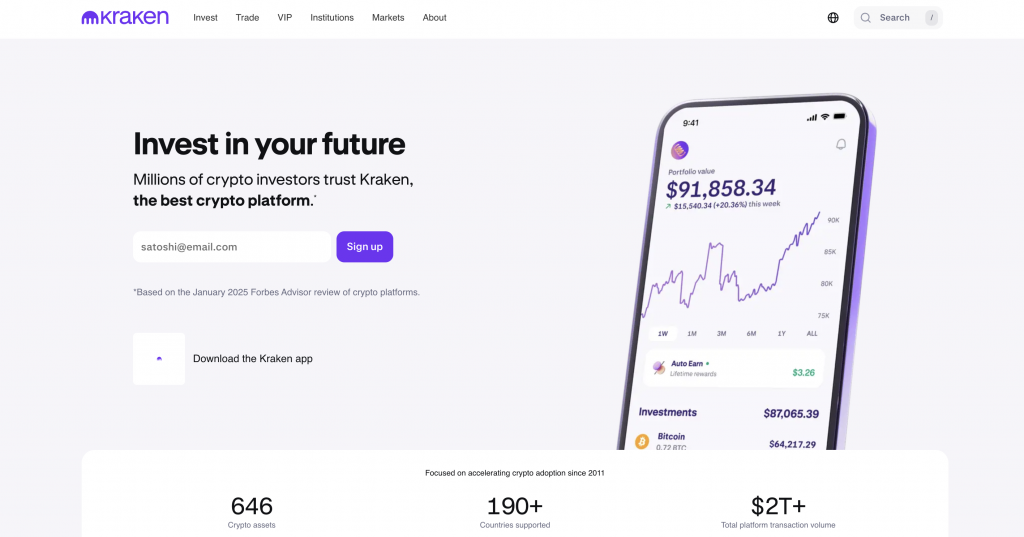
The platform separates its environments into standard Kraken and Kraken Pro, which helps organize the experience depending on how you plan to use the platform. If you only want to buy crypto, you can use the simplified purchase flow, which lets you choose the asset, enter the amount, and confirm the transaction. This keeps the process manageable for newcomers.
Where Kraken becomes more demanding is in its Pro trading interface. Here you see a detailed chart, order book, market trades, and order forms within the same screen. This layout gives you a clearer view of liquidity and price movement, but it also means you must spend a little more time learning where each element sits.
Once you become familiar with the layout, however, the platform allows you to adjust panels and organize your workspace in a way that suits your trading routine.
Features
Kraken offers one of the most extensive feature sets among U.S. crypto exchanges, particularly if you plan to trade actively rather than simply buy and hold assets.
The first thing you will likely notice is the aforementioned Kraken Pro, which is the platform’s primary trading environment for experienced users. So, instead of simplified buy screens, Kraken Pro presents you with a detailed chart, a full order book, recent trades, and an advanced order form in one workspace. You can place market, limit, stop-loss, and other conditional orders directly from this interface, which gives you more control over execution than what you get on platforms like CEX.IO, but on the other hand, may feel overwhelming if you’re just starting out.
Another area where Kraken stands out is derivatives. Unlike CEX.IO or Gemini, Kraken offers perpetual futures trading, allowing experienced traders to speculate on price movements with leverage. This opens the door to more advanced strategies but also introduces leverage risk and liquidation mechanics that beginners must understand before trading.
But all these bells and whistles don’t mean Kraken forgets about beginners. If you prefer something simpler, you can use the standard Buy Crypto flow.
All in all, Kraken gives you a much deeper toolbox than CEX.IO. But you will likely spend more time learning the interface before everything starts feeling natural.
Deposits & Withdrawals
U.S.-based users can fund their Kraken account through ACH transfers via Plaid, debit cards, PayPal, and traditional bank wires such as FedWire and SWIFT, which are not available at CEX.IO, for example.
The minimum deposit is relatively low, with ACH transfers starting at just $1, making Kraken accessible for smaller transactions. One thing we appreciated is that ACH deposits are free, something we also saw at Gemini (as opposed to CEX.IO, which charges a $5 fee for ACH transfers). Card purchases are available as well, though they come with a fee of $0.25 plus 3.75% of the transaction amount.
Withdrawals are where Kraken becomes a bit more limited. U.S-based customers can cash out through ACH, FedWire, or SWIFT transfers. These methods worked reliably in our testing, but we didn’t see the ability to withdraw directly to a credit or debit card. While bank transfers remain the industry standard, the narrower selection of payout gateways gives users fewer ways to move funds compared with platforms that support additional withdrawal routes.
Pros and Cons
Pros
- Advanced trading interface with detailed charts and full order books
- Wide selection of order types, including stop-loss and conditional orders
- Access to derivatives markets and perpetual futures
- Free ACH deposits for U.S.=based customers
- Separate Kraken Pro interface for experienced traders
Cons
- Interface can feel complex for beginners
- Card purchases carry relatively high fees
- No direct card withdrawals for U.S.-based enthusiasts
3. eToro
eToro integrates social trading tools that allow users to follow or replicate other traders’ strategies. Because of this structure, the platform often feels closer to an investing platform than to a traditional crypto exchange.
| Best For | Instant Purchase | Payment Methods | Minimum Deposit | ACH Deposit Fee | Withdrawal Options | Mobile App |
| Social trading and portfolio-based strategies | Yes | Debit cards, ACH transfers, PayPal | Around $10 | Free | Processed through the original deposit method when possible | iOS and Android |
Ease of Use
eToro’s interface feels different from most crypto exchanges because the platform does not focus exclusively on trading screens. Instead, it organizes its navigation around markets, portfolios, and social trading tools.
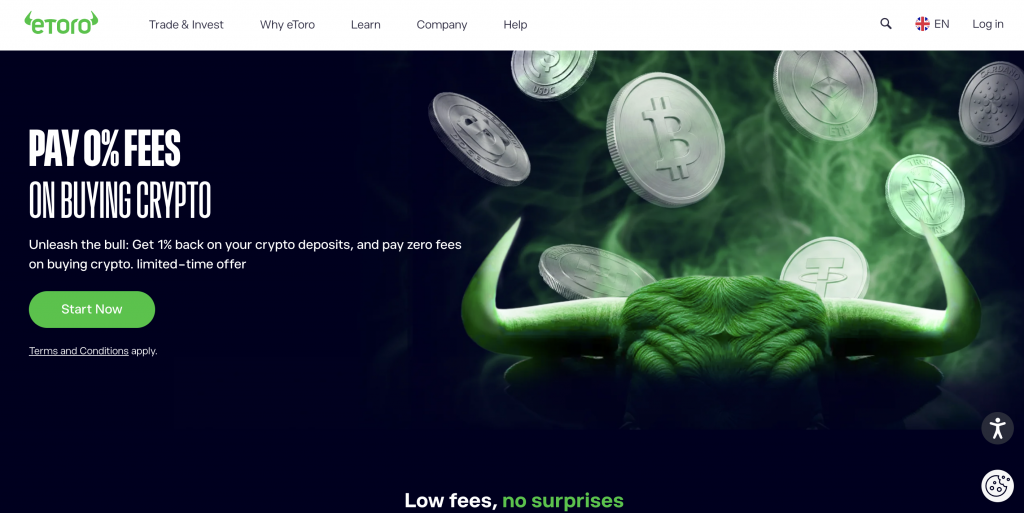
When you log in, you’ll see the Markets section first. From here, you can browse crypto, stocks, ETFs, commodities, currencies, and indices without switching platforms between standard and pro, like with Kraken. Each market page displays charts, price changes, and asset statistics in a format that feels closer to a brokerage dashboard than a traditional crypto exchange.
The platform also highlights its social trading features directly within the navigation. CopyTrader and Smart Portfolios appear as dedicated sections, making them easy to locate if you want to explore portfolio strategies or replicate the trades of experienced users.
Unlike Kraken or Binance.US, eToro does not put order books and trading panels front and center. You interact more with portfolio-style pages and asset dashboards than with advanced trading terminals.
Features
eToro approaches crypto trading differently from most exchanges in this comparison. Instead of focusing purely on order books and trading screens, the platform centers much of its functionality around social trading and portfolio replication.
The most recognizable tool here is CopyTrader. This feature allows you to automatically replicate the trades of experienced investors. You choose a trader, allocate funds, and eToro mirrors their positions in your account. If you want exposure to crypto but do not feel confident placing trades yourself, this feature can remove much of the guesswork.
It may be a good starting point, just to get a feel for what’s happening in the market. But the question remains: do you really want to hand over control to someone else and let the outcome depend on another trader’s good or bad day?
Another tool you may encounter is Smart Portfolios. These are curated baskets that group assets around specific themes or strategies. So, instead of buying individual coins, you gain exposure to a portfolio that the platform manages and rebalances over time.
Unlike Kraken or Binance.US, eToro also allows you to trade multiple asset classes within the same platform. In addition to crypto, you can access stocks, ETFs, commodities, indices, and currencies.
However, if you are looking for a professional crypto trading environment with deep order books and advanced execution tools, eToro may feel limited compared with Kraken or Binance.US.
Deposits & Withdrawals
eToro accepts debit cards, ACH bank transfers, PayPal, and several other supported payment providers, depending on the account setup.
The minimum deposit is relatively low and generally starts at around $10, which makes it easy to get started. Most deposits are processed quickly, especially when using cards or PayPal, which allow users to fund their accounts almost instantly.
When it comes to withdrawals, the process is handled a bit differently than on most crypto exchanges. eToro processes payouts through the same payment method used for the original deposit whenever possible. While this approach helps streamline the process, it also means you have fewer withdrawal options.
During testing, the withdrawal process worked smoothly, though we would have preferred to see more direct withdrawal pathways, similar to those offered by CEX.IO.
Pros and Cons
Pros
- Unique social trading environment through CopyTrader
- Smart Portfolios provide curated market exposure
- Access to multiple asset classes within the same platform
- Low minimum deposit requirement
- Large global user community
Cons
- Limited advanced trading tools compared with Kraken or Binance.US
- Order books and professional trading panels are not central to the platform
- Withdrawal methods are tied to the original deposit method
4. Gemini
Gemini welcomes beginners with a straightforward purchase process and a well-structured trading interface for those who want deeper market tools. As your experience grows, the platform lets you transition to a more advanced trading environment without switching to another exchange.
| Best For | Instant Purchase | Payment Methods | Minimum Deposit | ACH Deposit Fee | Withdrawal Options | Mobile App |
| Security-focused users who want simple purchases and advanced trading tools | Yes | ACH transfers, debit cards, PayPal, Apple Pay, Google Pay | No strict minimum for ACH transfers | Free | ACH transfers and bank wires | iOS and Android |
Ease of Use
Gemini’s website isn’t as minimal as CEX.IO’s, but it also doesn’t offer the more detailed environment that Kraken does. Navigation menus keep the main tools visible, allowing you to move between markets, trading pages, funding options, and account settings without digging through several layers of menus.
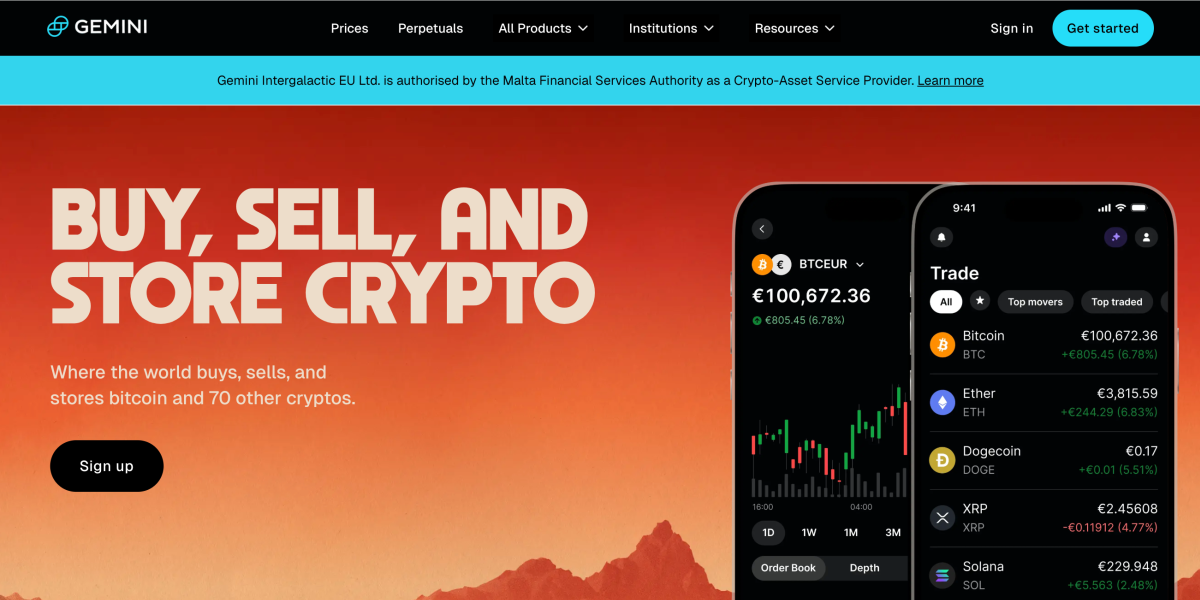
Once you reach the trading screen, Gemini presents a clear layout with a TradingView chart in the center, an order book on the side, and a compact order form for entering price and quantity. Tabs for balances, open orders, and trade history sit directly below the chart, so you can review your activity without leaving the page.
Unlike Kraken, the interface does not scatter multiple trading panels across the screen. You work within a fixed structure in which each component has a defined position.
Features
If you want to buy crypto quickly, you can use Gemini’s standard purchase flow. You select the asset, enter the amount, and confirm the transaction without dealing with order books or price levels. This process works similarly to the Instant Buy tools available on platforms like CEX.IO.
Where Gemini starts to differentiate itself is with ActiveTrader, its advanced trading interface. Once enabled, you gain access to more detailed charts, deeper order books, and additional order types. You can monitor liquidity, analyze price movement, and place trades with greater precision.
ActiveTrader also gives you access to lower trading fees compared with the standard interface, which can make a noticeable difference if you trade frequently.
That said, Gemini still leaves out some features that traders may find on other platforms. You won’t find built-in trading bots like those on Binance.US, and the platform doesn’t offer the same derivatives depth as Kraken, but, again, a few exchanges do.
Still, if you want a platform that lets you start with simple purchases and gradually move toward more advanced trading tools, Gemini handles that transition quite well.
Deposits & Withdrawals
Gemini offers several funding methods for U.S.-based customers, including ACH bank transfers, debit cards, PayPal, and mobile wallets like Apple Pay and Google Pay. Wire transfers are also supported for users who prefer bank-based transactions.
ACH deposits are free and widely used, though they can take several business days to fully settle. Card payments and mobile wallets enable instant purchases, but they incur a 3.49% platform fee in addition to trading costs. While this may initially seem lower than the fees charged by CEX.IO (0.49%–4.99% + service charge for card purchases), the total cost can add up quickly if you’re not paying close attention. PayPal deposits are also supported for U.S. customers, though they include a 2.50% processing fee.
Again, like with eToro and Kraken, withdrawal pathways are somewhat limited. Gemini allows fiat withdrawals through ACH transfers or wire transfers to a linked bank account. While these methods worked as expected during our testing, we didn’t see an option to withdraw funds directly to a card or digital wallet.
Pros and Cons
Pros
- Strong regulatory posture and security practices
- ActiveTrader offers deeper charts and order books
- Free ACH deposits for U.S. customers
- Transparent fee structure for standard purchases
- Supports multiple payment methods, including PayPal and mobile wallets
Cons
- Fewer trading features than Kraken
- Card purchases include relatively high fees
- Limited derivatives markets
5. Binance.US
If you prefer a trading environment packed with charts, order book data, and multiple order types, Binance.US may be worth exploring. The platform exposes a large amount of market information directly within the main interface, making it easier to monitor liquidity and price movement while placing trades.
| Best For | Instant Purchase | Payment Methods | Minimum Deposit | ACH Deposit Fee | Withdrawal Options | Mobile App |
| Traders who prefer a data-rich trading environment | Yes | ACH transfers, debit cards, Apple Pay, Google Pay | Varies by payment method | Free | ACH transfers and supported bank wires | iOS and Android |
Ease of Use
Binance.US places a heavier emphasis on trading tools than most of the platforms in this comparison, except for eToro. When you open the main trading screen, the interface displays several components at once, including a price chart with technical indicators, a full order book, and an order form where you can place limit, market, or stop-limit orders.
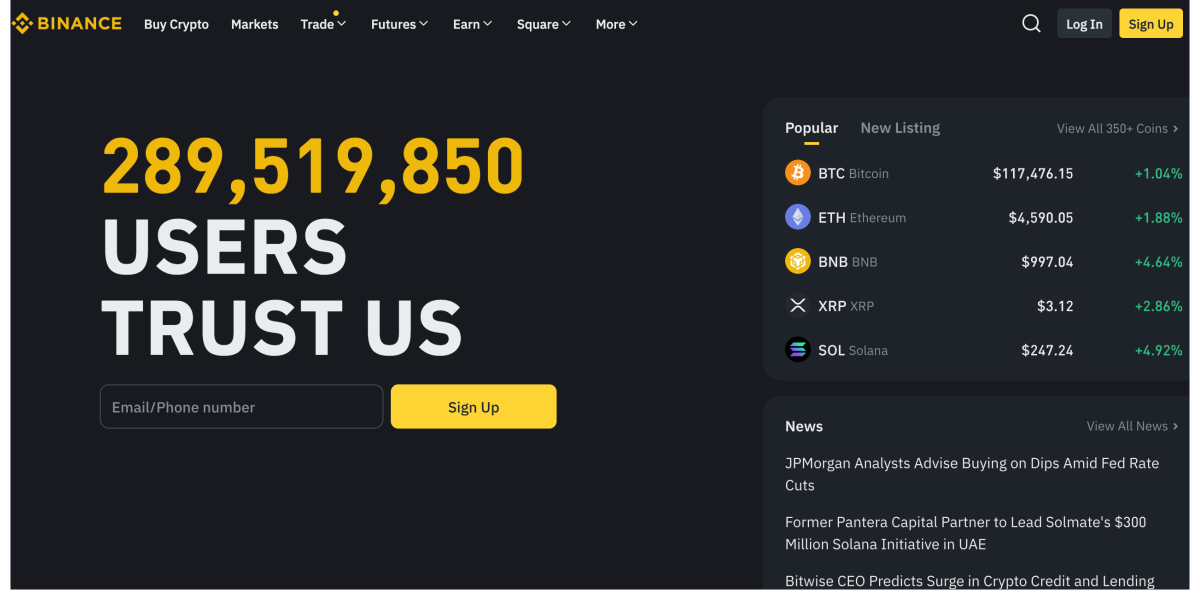
You can move between markets, staking services, wallet balances, and account settings using navigation, without leaving the main dashboard. Deposit and withdrawal tools also appear directly within the trading interface, which makes it easy to manage funds while monitoring price movements.
What you’ll likely notice is that the interface exposes more market data by default, as opposed to Gemini or CEX.IO, which keep things simple and clean. You see bid and ask depth, recent trades, and liquidity levels immediately, without having to enable additional panels.
This approach can feel slightly overwhelming at first, a point we also noted in our comprehensive Binance review, especially if you are new to trading platforms. However, if you already have experience with charting tools and order books, the layout will likely feel familiar.
Once you understand where each section sits, you’ll be able to switch between charts, market depth, and order controls easily, without interrupting your workflow.
Features
Binance.US provides one of the most feature-heavy environments among U.S.-based exchanges, especially if you prefer a traditional trading interface.
The platform’s main trading screen places several key tools directly in front of you. You see a large chart with technical indicators, a full order book showing bid and ask depth, and an order form to place limit, market, or stop-limit orders. If you already have experience with trading platforms, the layout will likely feel familiar.
For larger transactions, Binance.US also offers an OTC trading portal. Instead of executing a large order directly on the order book and potentially moving the market, you can request a quote from the platform’s trading desk. This approach helps institutional clients and high-volume traders avoid slippage.
The platform also includes staking services, allowing you to receive rewards by holding certain assets directly within your account. We did find staking and savings on CEX.IO; however, their Earn Crypto program is not available for U.S.-based users due to regulatory restrictions.
Speaking of restrictions, it’s important to note that Binance.US still offers fewer products than its global counterpart. Compared with Kraken, derivatives offerings are limited, and the platform does not provide social trading tools like those available on eToro.
What you do get is a trading-focused environment packed with charts, order book data, and multiple order types, which makes Binance.US appealing to traders who want to set their own prices, choose how their orders execute, and monitor liquidity before placing a trade.
Deposits & Withdrawals
Funding a Binance.US account is fairly straightforward, with ACH bank transfers, debit cards, and mobile wallets like Apple Pay and Google Pay all supported, more or less the same set of payment methods we saw with other exchanges.
ACH deposits are free, which is consistent with what we saw at Kraken. Card purchases, however, come with a 3.3% fee. It’s not as expensive as CEX.IO, for example, but it isn’t as cheap as Kraken’s $0.25 + 3.75%, so we could say Binance.US sits somewhere in the middle.
The purchasing process itself is fairly simple, and the flow clearly shows all charges before confirming the transaction.
When it comes to withdrawals, you can generally cash out through bank transfers, primarily using ACH or supported wire routes. These worked reliably in our testing and processed within the expected timeframe.
While the available withdrawal gateways are fairly standard for U.S. exchanges, we would still prefer to see more alternatives, particularly card withdrawals or additional payout methods, maybe Google Pay and Apple Pay, or, why not, PayPal, that give users more options when moving funds off the platform.
Pros and Cons
Pros
- Feature-heavy trading interface with advanced charting
- Full order book visibility and market depth data
- Free ACH deposits
- OTC portal for large transactions
- Built-in staking services for supported assets
Cons
- Interface can feel overwhelming for new users
- Fewer products than the global Binance platform
- Fiat withdrawal pathways are fairly standard and somewhat limited