
After extended use, Trust Wallet quickly shows what it is built for: full control with no intermediaries. As a non-custodial wallet, it places responsibility on the user. Private keys, transaction approvals, and asset management all sit entirely on your side.
In practice, it works best for users who actively use crypto rather than just hold it. Those interacting with dApps, swapping tokens, or moving assets across multiple blockchains will find everything accessible in one place without relying on a third party.
Its main strength is direct access. There are no account restrictions or platform-imposed limits.
Its main limitation appears when moving back to fiat. There is no built-in way to withdraw to a bank account, so an external platform is required to complete that step.
This review breaks down how Trust Wallet works, its features, fees, security, and where it fits, and where it does not.
Trust Wallet at a Glance
Before we start, here’s a quick snapshot of the essentials:
| Category | Details |
| Wallet Type | Non-custodial (self-custody) |
| Founded | 2017 |
| Supported Assets | 10M+ tokens, 600M+ NFTs |
| Blockchains | 100+ supported |
| Fiat Withdrawals | Not available |
| Key Access | User-controlled recovery phrase |
| Platforms | iOS, Android, browser extension |
What Is Trust Wallet?
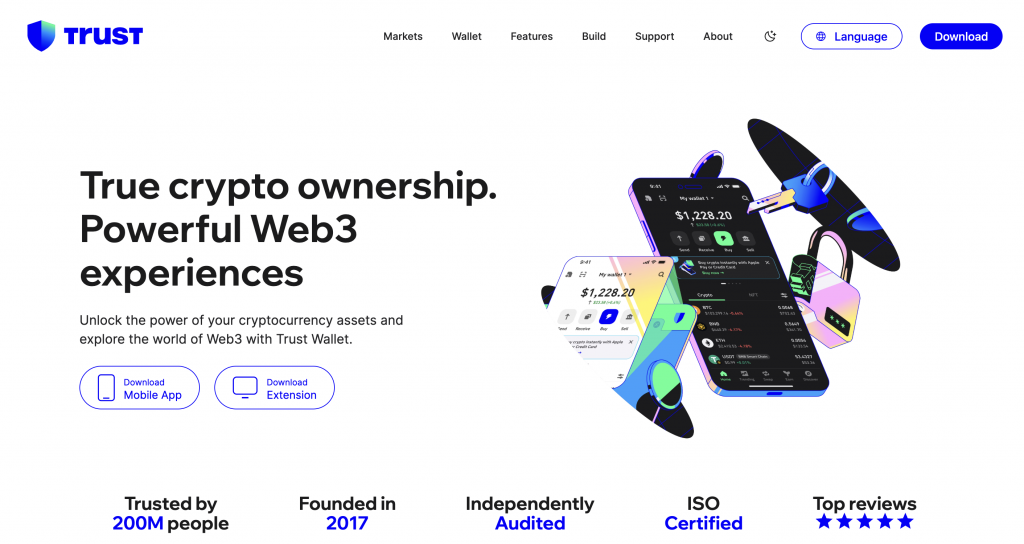
Trust Wallet is a non-custodial crypto wallet that allows users to store, send, receive, and manage cryptocurrencies without relying on a third party. Instead of holding your funds, it provides access to blockchain networks through private keys that remain under your control.
Launched in 2017 and later acquired by Binance, Trust Wallet has grown into a multi-chain Web3 wallet supporting cryptocurrencies, NFTs, and decentralized applications (dApps) across dozens of networks.
If you’re searching for what Trust Wallet is used for, it typically serves as:
- A crypto storage wallet for tokens and NFTs
- A gateway to Web3, including DeFi platforms and dApps
- A tool for sending, receiving, and swapping crypto assets
Unlike centralized platforms, Trust Wallet does not manage accounts or hold funds on your behalf. Access depends entirely on your private key or recovery phrase, which only you control.
Key features of Trust Wallet
- Self-custody access – Users retain control over their private keys, meaning only the wallet holder can authorize transactions.
- Multi-chain compatibility – Supports major networks such as Ethereum, BNB Chain, and Solana, along with a wide range of tokens.
- Built-in Web3 access – Allows users to connect to decentralized applications directly from the wallet interface.
- NFT support – Enables storage and management of NFTs across supported blockchains.
- Cross-platform availability – Available as a mobile app and browser extension for flexible access.
How Trust Wallet Works
Trust Wallet operates as a non-custodial interface to blockchain networks, meaning it does not store assets itself but provides the tools needed to access and manage them. Instead of holding funds, it generates and manages private keys, which act as proof of ownership for cryptocurrencies on the blockchain.
When you create a wallet, Trust Wallet generates a recovery phrase (also called a seed phrase). This phrase is the only way to restore access to your wallet and its associated assets. The wallet does not retain this information, which means access depends entirely on the user.
The Core Mechanics
At a functional level, Trust Wallet works through three key components:
- Private keys and recovery phrase – These credentials confirm ownership of assets. Transactions can only be approved using these keys.
- Blockchain interaction – The wallet connects to blockchain networks (such as Ethereum or Solana) to display balances, process transactions, and retrieve data.
- User interface layer – Trust Wallet provides a mobile app or browser extension that allows users to interact with blockchain networks without needing technical tools or command-line access.
What Happens During a Transaction
When a user sends crypto using Trust Wallet, the process follows a standard blockchain flow:
- The user enters a recipient address and transaction details
- The wallet creates a transaction request
- The transaction is signed locally using the private key
- The signed transaction is broadcast to the blockchain network
- Validators or miners confirm the transaction and record it on-chain
Trust Wallet does not control or process the transaction. It only facilitates the interaction between the user and the network.
Network Fees and Execution
Every transaction requires a network fee, sometimes referred to as gas. These fees are paid to validators or miners who process transactions on the blockchain.
- Fees vary depending on the network and demand.
- Some blockchains require a specific token (for example, ETH for Ethereum) to cover the fee.s
- Transactions may take longer or process faster, depending on the fee level selected.
Trust Wallet typically suggests a fee based on current network conditions, but users can adjust it on some networks.
Interaction with dApps
Trust Wallet also functions as a gateway to decentralized applications (dApps). When connecting to a dApp:
- The wallet acts as an authentication layer
- Users approve or reject actions (such as swaps or staking)
- Transactions are still executed on-chain, not within the wallet
This allows users to interact with DeFi platforms, NFT marketplaces, and other Web3 services directly.
Key Features of Trust Wallet
Trust Wallet brings together several core functions, storage, transfers, swaps, staking, NFTs, and Web3 access, within a single non-custodial environment. On paper, this positions it as a broad Web3 gateway. In practice, how useful these features are depends on user experience level, network understanding, and tolerance for managing risk independently.
Below is a closer look at how these features actually work, who they are suited for, and where limitations start to appear.
Self-Custody and Private Key Control
Trust Wallet is built around a self-custody model, which means users generate and control their own private keys through a 12-word recovery phrase created during setup.
In practical terms, this removes reliance on any intermediary. Transactions are signed locally on the device, and no central entity can freeze or restore access. This structure appeals to users who want full control over their assets and prefer interacting directly with blockchain networks.
However, this control comes with trade-offs. If a user loses their recovery phrase, they cannot restore access to their funds. There is no fallback mechanism, no account recovery, and no support intervention that can reverse this outcome.
Other non-custodial wallets, such as MetaMask, follow the same model. By contrast, platforms like CEX.IO use a custodial structure where access can be recovered through identity verification. This may not offer the same level of independence, but it introduces a safety net that some users may consider essential.
Multi-Chain Support and Asset Coverage
Trust Wallet supports over 100 blockchains, giving users access to more than 10 million digital assets and over 600 million NFTs. This level of coverage is one of its defining features.
The wallet aggregates multiple blockchain networks into a single interface, allowing users to manage assets across ecosystems like Ethereum, BNB Chain, and Solana without switching tools. For users actively participating in DeFi or exploring multiple networks, this reduces friction.
That said, broader access introduces complexity. Assets must be sent on the correct network, and addresses can appear similar across chains. Sending tokens via the wrong network may result in permanent loss. In some cases, tokens are not visible by default and must be manually added, which can confuse less experienced users.
Compared to this, CEX.IO offers a more limited selection of supported assets, but within a controlled environment. This reduces the likelihood of network-related errors and may suit users who prefer clarity over breadth.
Swaps, Liquidity Access, and Gas Mechanics
Trust Wallet includes a built-in swap function that lets users exchange tokens directly in the app. These swaps are executed through third-party liquidity providers or decentralized exchanges, with transactions processed on-chain.
In addition to standard swaps, Trust Wallet introduced a gas sponsorship feature for selected networks:
- Up to 4 gas-free swaps per day
- Available on BNB Chain, Ethereum, and Solana
- Minimum swap thresholds apply, for example, around $50 on Ethereum and $200 on Solana
This feature addresses a common issue in crypto: users hold tokens but lack the native asset needed to pay network fees. By covering gas fees in specific scenarios, Trust Wallet reduces friction for certain transactions.
However, this functionality is limited in scope. It applies only under specific conditions, varies by network, and does not remove all transaction costs. Swap pricing may also differ depending on liquidity sources, and full cost transparency is not always clear before execution.
On the other hand, CEX.IO uses order books and instant execution mechanisms, with pricing and fees presented upfront within the platform. This may yield more predictable transaction outcomes, particularly for users who are not actively managing on-chain interactions.
Staking and On-Chain Participation
Trust Wallet enables users to stake certain assets directly from the wallet by delegating tokens to network validators. Rewards are distributed based on network conditions and validator performance.
This feature is designed for users who want to participate in blockchain validation processes without transferring assets to a third party. Since staking occurs on-chain, users retain control over their funds throughout the process.
However, staking availability is limited to specific assets, and participation requires some understanding of validator selection and network mechanics. Reward rates are variable and not guaranteed, and unbonding periods may apply depending on the blockchain.
Other non-custodial wallets offer similar staking mechanisms. By comparison, CEX.IO provides structured earning services with predefined terms and simplified participation, which may be more accessible for users who prefer guided processes. However, the CEX.IO Earn program, which includes both crypto Staking and Savings services, has limited availability for users in specific regions, including the U.S.
Smart Contract Wallet (Trust Wallet Swift)
Trust Wallet is developing a smart contract-based wallet, known as Trust Wallet Swift, currently in public beta. This feature introduces account abstraction, shifting away from traditional private key management.
Instead of relying on a recovery phrase, Swift allows users to:
- Authenticate using biometrics or passkeys
- Pay transaction fees using 200+ different tokens
- Execute actions such as swaps with simplified approval flows
The purpose is to reduce the complexity associated with key management and lower the barrier to entry for new users.
At this stage, availability is limited, and the feature remains under development. While it addresses usability challenges, it introduces a different technical model based on smart contracts rather than standard externally owned accounts.
Similar approaches are being explored across the industry, though most wallets still rely on traditional key-based systems. Centralized platforms already provide account recovery, but through identity-based access rather than smart contract logic.
Trust Wallet Fees Explained
Trust Wallet does not charge account, custody, or subscription fees. Instead, costs arise from blockchain network fees and third-party services used within the wallet.
The primary cost is the network fee (gas), required for every transaction. This fee is paid to validators or miners and varies depending on the blockchain and network demand.
For example, Ethereum transactions can become more expensive during periods of congestion, while networks like Solana or BNB Chain typically offer lower fees. Trust Wallet automatically suggests a fee, but on some networks, users can adjust it. Lower fees may result in slower confirmation times.
When using the built-in swap feature, fees are less transparent. Trust Wallet routes transactions through decentralized exchanges or liquidity providers, meaning costs are included in the price spread, provider fees, and network fees.
While the wallet introduced gas sponsorship, up to 4 gas-free swaps per day on BNB Chain, Ethereum, and Solana, this applies only under certain conditions and does not remove all costs.
Buying crypto in Trust Wallet involves external providers, so fees depend on the selected payment method and the provider’s rates. These are not standardized and can vary from transaction to transaction.
By comparison, CEX.IO uses a structured fee model in which costs are defined in advance.
| Service | CEX.IO Fees |
| Card deposits/withdrawals | 0.49% – 4.99% + service charge |
| Faster Payments (UK) | £2.99 |
| SEPA transfers | €2.99 |
| SWIFT deposits | 0.1% (min $10) |
| Trading fees | 0.25% → 0.10% (volume-based) |
Is Trust Wallet Safe?
Trust Wallet is generally considered a secure non-custodial wallet, primarily because it gives users full control over their private keys. Credentials are generated and stored locally on the device, and transactions are signed without exposing sensitive data to external servers. The wallet also supports biometric authentication and passcodes and integrates with security tools, including its built-in scanner that flags potentially risky dApps.
However, security in this model depends heavily on user behaviour. Because Trust Wallet does not store recovery phrases or provide account recovery, losing access credentials can result in permanent loss of funds. This makes it secure from third-party control, but less forgiving than custodial platforms.
Compared to MetaMask, Trust Wallet shares the same self-custody security model but differs in execution. MetaMask, as a browser wallet, is more exposed to phishing sites and malicious extensions, especially when interacting with DeFi. Trust Wallet’s mobile-first design reduces this risk. However, MetaMask provides more detailed transaction prompts, giving advanced users greater visibility, while Trust Wallet simplifies approvals, which can make interactions quicker but less transparent.
There have been security incidents linked to external threats, including phishing attacks and malicious software, which have affected users rather than the wallet’s core infrastructure. In late 2025, reports highlighted a Chrome extension exploit that exposed private keys and resulted in losses of approximately $7 million across more than 600 users. Earlier, Trust Wallet also disclosed a browser extension vulnerability, which was identified and patched, with affected users notified.
Overall, Trust Wallet can be considered secure when used correctly. At the same time, it requires users to actively manage their own security practices and remain cautious when interacting with external applications.
Trust Wallet Pros and Cons
Trust Wallet provides broad access to crypto and Web3 tools, though its structure may suit some users more than others.
Pros
- In the self-custody model, users retain control of private keys and access credentials.
- Supports 100+ blockchains, with access to over 10 million assets and 600 million NFTs
- Enables direct interaction with dApps, including DeFi platforms and NFT marketplaces
- Built-in swap functionality with support across multiple networks
- Gas sponsorship available on selected networks, with up to 4 swaps per day under certain conditions
- Available on mobile and browser extension, allowing access across devices
- No platform custody fees; costs are tied to network activity and external providers
Cons
- Access cannot be restored if the recovery phrase is lost
- Users may be exposed to risks when interacting with external dApps or approving transactions
- Fees can vary depending on network conditions and may not always be fully clear before execution
How to Use Trust Wallet (Step-by-Step)
Trust Wallet can be used to store, send, and interact with digital assets, though the setup process requires careful handling of access credentials.
- Download and set up the wallet: Install Trust Wallet from the official app store or browser extension. Create a new wallet and securely store your 12-word recovery phrase, as this is the only way to restore access.
- Add or receive crypto: Select an asset and tap Receive to generate a wallet address. You can transfer crypto from another wallet or purchase through supported third-party providers, depending on availability.
- Send, swap, or interact with dApps: Use the wallet to send assets, swap tokens, or connect to decentralized applications. Always verify addresses, networks, and transaction details before confirming, as blockchain transactions are typically irreversible.
How to Withdraw Money from Trust Wallet?
When withdrawing from Trust Wallet, the process is not as direct as some users may expect. Every transfer incurs a network fee, which varies depending on the blockchain you use. For example, sending assets on Ethereum can cost noticeably more during peak periods, while networks like BNB Chain or Solana tend to be lower-cost. Trust Wallet itself does not add a separate withdrawal fee, but network fees are unavoidable.
The main limitation appears when converting crypto into cash. Trust Wallet does not support direct fiat withdrawals, so you cannot sell crypto and send funds to a bank account or card from within the app. Instead, you need to transfer your assets to an external platform that supports fiat off-ramps, complete the sale there, and then withdraw the funds.
In practice, this adds an extra step and requires careful attention. You need to select the correct network, ensure the receiving platform supports it, and account for fees on both sides.
Compared to platforms like CEXIO that combine crypto and fiat services in one place, this process can feel less streamlined, particularly for users looking for a straightforward way to access funds in traditional currencies.
Here’s the step-by-step withdrawal process:
- Open Trust Wallet and select the asset: Choose the cryptocurrency you want to withdraw and tap Send.
- Enter the recipient address: Paste the deposit address from the platform you plan to use for withdrawal. Double-check both the address and the selected network.
- Confirm the network and amount: Make sure the receiving platform supports the same blockchain. Enter the amount you want to transfer.
- Review fees and confirm the transaction: Trust Wallet will display the required network fee. Confirm the transaction to send your assets.
- Convert crypto to fiat on the receiving platform: Once the funds arrive, you can sell your crypto for fiat and withdraw using available payment methods such as bank transfer or card, depending on the platform.
Trust Wallet vs Other Wallets
Trust Wallet gives direct access to blockchain networks, but that level of control changes how everyday actions work. Comparing it with other wallets shows where that approach adds flexibility and where it introduces extra steps.
Trust Wallet vs CEX.IO Wallet
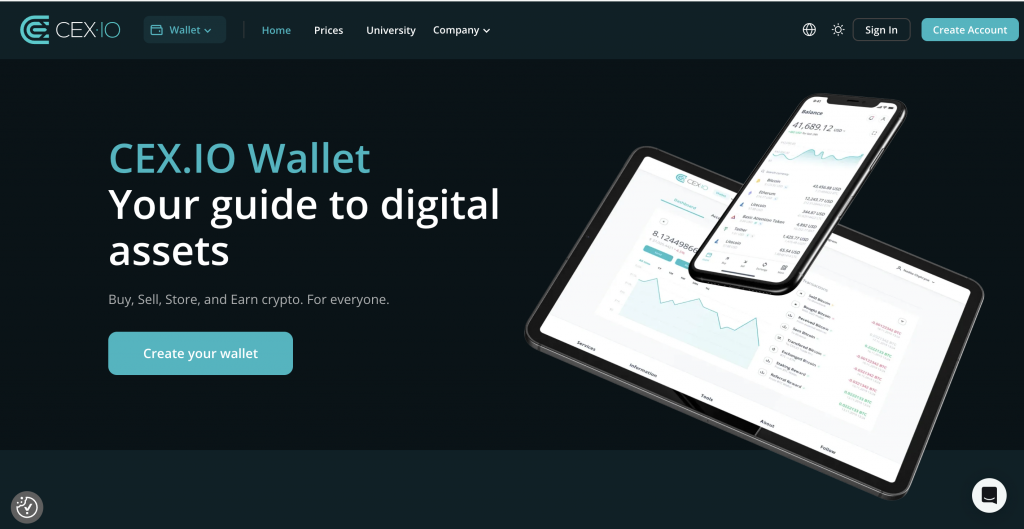
Trust Wallet operates fully on-chain. Every transfer requires selecting the correct network, holding the native token for gas, and confirming the transaction manually. For example, sending USDT on Ethereum requires ETH for fees, while the same transfer on BNB Chain uses BNB.
CEX.IO removes that layer. You choose the asset, see the final price, and confirm without managing gas or networks. Trust Wallet supports over 100 blockchains and 10M+ tokens, while CEX.IO lists fewer assets, but presents them in a single account view. Moving to fiat also differs. Trust Wallet requires sending funds to another platform, while CEX.IO allows direct conversion and withdrawal.
Trust Wallet vs Coinbase Wallet
Both wallets rely on self-custody, but the experience diverges once you start using them. Trust Wallet supports 100+ blockchains and over 10 million tokens, while Coinbase Wallet focuses on a smaller set, including Ethereum, Polygon, BNB Chain, and Solana. That wider coverage in Trust Wallet adds flexibility but increases the risk of selecting the wrong network.
During swaps, Trust Wallet may route through multiple liquidity providers, which can change the final cost. Coinbase Wallet shows clearer transaction breakdowns before signing.
Trust Wallet also requires manual token imports more often, whereas Coinbase Wallet automatically detects common ERC-20 tokens after receiving them.
Trust Wallet vs Coinbase Wallet vs CEX.IO Wallet
To make the differences easier to scan, here’s how these three wallets compare across the areas that affect everyday use:
| Feature | Trust Wallet | Coinbase Wallet | CEX.IO Wallet |
| Wallet Type | Self-custody | Self-custody | Custodial |
| Network Coverage | 100+ blockchains | Ethereum, Polygon, BNB Chain, Solana | Platform-supported assets only |
| Token Support | 10M+ tokens, 600M+ NFTs | Thousands of tokens, strong ERC-20 coverage | Selected assets within the platform |
| Transaction Flow | Fully manual, on-chain approvals | Manual approvals with clearer prompts | Guided flow, no gas management |
| Fee Handling | Network fees + variable swap costs | Network fees + Coinbase spread | Fees shown upfront before confirmation |
| Fiat Access | Requires an external platform | Requires an external platform | Built-in buy, sell, and withdrawal |
Who Should Use Trust Wallet?
Trust Wallet is best suited for users who want direct control over their assets and access to Web3 services without intermediaries. Based on its features and limitations, it tends to work best for those already familiar with how blockchain networks operate.
If you use DeFi platforms, manage assets across multiple chains, or interact with NFTs and dApps, Trust Wallet provides the tools to do this within a single interface. Its support for over 100 blockchains allows users to move across ecosystems without relying on multiple wallets, which can be valuable for more experienced users.
At the same time, this setup requires careful handling. Users need to manage their recovery phrase, verify transaction details, and ensure the correct network is selected. There is no account recovery, and converting crypto to fiat involves transferring funds to an external platform.
For users who prefer a more guided experience, especially when buying, selling, or withdrawing funds, platforms like CEX.IO may offer a more straightforward approach. By combining crypto services with fiat access in one place, it can reduce complexity while still providing access to digital assets.
In practice, Trust Wallet suits users who are comfortable managing these processes independently, while others may prefer a more structured environment.
FAQs
Is Trust Wallet actually safe?
Trust Wallet can be considered secure when used correctly, as it gives users full control over private keys. However, security depends on user actions. Losing a recovery phrase, approving malicious transactions, or interacting with unsafe dApps may result in the loss of funds, which are typically irreversible.
Can I withdraw from Trust Wallet?
Trust Wallet does not support direct fiat withdrawals. To access funds in traditional currency, users need to transfer crypto to an external platform that supports selling and withdrawal. This usually involves sending assets, converting them to fiat, and then withdrawing via bank transfer or card.
How much is $1 on Trust Wallet?
Trust Wallet does not set prices. The value of $1 depends on the current market rate of the selected cryptocurrency. Prices are sourced from external providers and reflect real-time market conditions, which can change frequently based on supply, demand, and overall market activity.
How to transfer from Trust Wallet to a bank account?
You cannot transfer funds directly from Trust Wallet to a bank account. Instead, send your crypto to a platform that supports fiat withdrawals, such as CEX.IO, sell it for your preferred currency, and then withdraw to your bank account using the available payment methods on that platform.
Can I lose my balance using Trust Wallet?
Yes, it is possible to lose access to funds. If you lose your recovery phrase, send assets to the wrong address, or approve malicious transactions, recovery is typically not possible. Trust Wallet does not provide account recovery or transaction reversal, as all activity occurs on the blockchain.
Can I convert crypto to cash on Trust Wallet?
Trust Wallet does not provide direct crypto-to-fiat conversion. While you can swap between cryptocurrencies within the wallet, converting to cash requires transferring assets to an external platform that supports fiat withdrawals and completing the process there. For example, CEX.IO offers a straightforward cash-out process, allowing eligible users to withdraw funds in USD, EUR, or GBP using their credit or debit cards or other supported gateways in their region.
What wallet is better than Trust Wallet?
There is no single wallet that suits all users. Trust Wallet may work well for Web3 interaction and self-custody. At the same time, other wallets or platforms may offer different features, such as account recovery, structured services, or integrated fiat access, depending on user preferences and experience level.
Is Trust Wallet banned in the U.S.?
Trust Wallet is not banned in the United States. It is available for download and use. However, certain features, such as third-party fiat services or specific tokens, may be subject to limitations due to local regulations and the availability of external providers.
How can I recover balance from Trust Wallet?
You can recover access only if you have your recovery phrase. Entering this phrase in the wallet restores access to your assets. If the recovery phrase is lost or compromised, access cannot be restored, as Trust Wallet does not store user credentials or provide recovery support.