
Coinbase Wallet provides direct access to the Base network, an Ethereum Layer 2 chain that Coinbase launched in August 2023. The wallet rebranded to Base App in July 2025, yet it keeps the same self-custody model. Users hold private keys on their device, approve every transaction inside the app, and connect to Base-native applications without leaving the wallet.
Base transactions settle in under a second and cost a small fraction of Ethereum mainnet fees. The wallet supports thousands of ERC-20 tokens, NFTs, and stablecoins, with native USDC, cbBTC, and ETH as primary assets on Base. Recovery uses a 12-word seed phrase, with passkeys and encrypted cloud backups available as additional options.
This review breaks down how Base works inside Coinbase Wallet, the fee model, the security setup, and how the wallet compares with other crypto wallets.
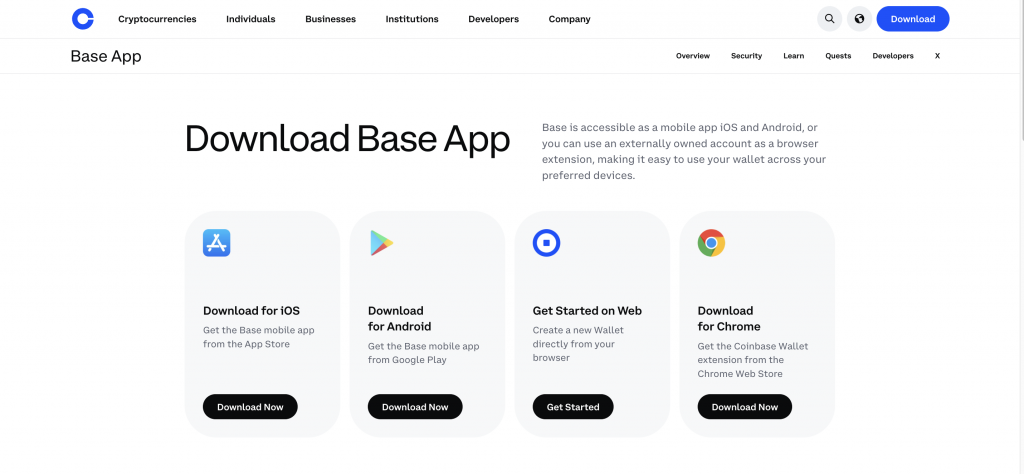
Coinbase Wallet (Base) at a Glance
Coinbase Wallet integrates directly with the Base network, Coinbase’s Ethereum Layer 2. The table below shows the core details.
| Feature | Details |
| Wallet Type | Self-custody hot wallet (mobile app and browser extension) |
| Custody Model | User controls private keys on the device |
| Primary Network | Base (Ethereum Layer 2, OP Stack) |
| Other Supported Networks | Ethereum, Polygon, Solana, BNB Chain, Avalanche, Optimism, Arbitrum |
| Supported Assets | Thousands of ERC-20 tokens, NFTs, native ETH, USDC, cbBTC |
| Recovery | 12-word seed phrase, passkeys, optional encrypted iCloud or Google Drive backup |
| Base Block Time | About 200 milliseconds after the Flashblocks upgrade |
| Average Base Transaction Fee | Typically under $0.01 for simple transfers |
| Gas Token on Base | ETH (no separate Base token) |
What Is the Base Network on Coinbase Wallet?
Base is an Ethereum Layer 2 blockchain that Coinbase developed and launched on August 9, 2023. The network runs on the OP Stack, an open-source rollup framework that Optimism and several other Layer 2 chains share. Base processes transactions off-chain in a sequencer, then posts compressed transaction data back to Ethereum, which secures the network.
Coinbase Wallet, rebranded as Base App in July 2025, gives users direct access to the Base network from a self-custody environment. Users hold tokens, sign transactions, and interact with decentralized applications on Base inside the same app they use for Ethereum, Solana, and other chains.
Base uses ETH as its gas token. There is no separate Base coin. Users pay transaction fees in ETH, which keeps the experience aligned with Ethereum and removes the need to hold a chain-specific token before sending funds.
How Base Integration Works
Coinbase Wallet recognizes Base as a built-in network. Users do not need to add a custom RPC endpoint or chain ID manually. When the user selects Base, the wallet routes transactions through the Base sequencer and displays balances of ETH, USDC, and other Base tokens automatically.
The wallet generates a single key pair that controls addresses across multiple EVM chains, including Ethereum mainnet, Base, Optimism, Arbitrum, and Polygon. The same address holds different balances on each chain, so a user can receive USDC on Base and ETH on Ethereum without creating separate wallets.
To move funds onto Base, users bridge assets from Ethereum mainnet or another chain. The wallet supports direct deposits from a linked Coinbase exchange account, which sends crypto onto Base without a manual bridge step. Third-party bridges such as Superbridge, Brid.gg, Across, and Wormhole also support Base. After the Flashblocks upgrade in July 2025, Base reduced block times from 2 seconds to roughly 200 milliseconds, so confirmations now feel near-instant.
Key Features of Base on Coinbase Wallet
Base inside Coinbase Wallet gives users a low-fee Ethereum environment with direct ties to the Coinbase ecosystem and a wide application catalog.
Layer 2 scaling and low fees
Base inherits Ethereum security and adds Layer 2 throughput. The network targets fees under one cent for simple transfers and confirmations in well under a second. The Flashblocks upgrade pushed block times to about 200 milliseconds, which makes the network responsive enough for retail payments and active dApp use.
A minimum base fee of 0.005 gwei prevents fee collapse during quiet periods, which keeps transaction inclusion fast and predictable. For a typical 200,000 gas transaction at ETH around $2,000, the minimum cost works out to roughly $0.002.
Seamless Coinbase ecosystem integration
Coinbase Wallet connects directly to a Coinbase exchange account. Users move crypto between custodial Coinbase balances and the self-custody wallet without sending an on-chain transaction across networks. Funds from Coinbase arrive on Base in seconds when the user picks Base as the destination.
The wallet also supports Base Pay and Base Account. Base Pay routes USDC payments through a Coinbase-built checkout flow. Shopify integrated Base Pay first, with more merchants coming online over time. Base Account gives users a single identity that works across compatible dApps through the “Sign in with Base” feature.
Broad dApp and smart contract support
Base is fully EVM-compatible. Solidity contracts deploy on Base without modification, so most Ethereum-native dApps work on Base after a redeploy. As of 2026, the Base ecosystem covers DEXs (Aerodrome, Uniswap), lending markets (Aave, Morpho), perpetuals platforms, NFT marketplaces, and prediction markets.
Coinbase Wallet adds a built-in dApp browser and a mini app directory. Users tap an app in the feed, the app loads inside the wallet, and the wallet signs transactions on demand without leaving the interface.
Base Network Fees Explained
Every Base transaction has two cost components. The L2 execution fee covers computation on Base. The L1 security fee covers data publishing on Ethereum mainnet. The L1 fee is usually the larger of the two, and it tracks Ethereum gas conditions, so Base fees rise modestly when mainnet activity spikes.
Base sets a minimum base fee of 0.005 gwei (5,000,000 wei) on the L2 side. This floor prevents extremely low fees that could enable spam during quiet periods. For a 200,000 gas transaction at an ETH price around $2,000, the minimum L2 cost works out to about $0.002. Simple ETH or ERC-20 transfers (21,000–65,000 gas) typically cost less than half a cent.
Coinbase Wallet does not add its own commission on Base transfers. The user pays only the blockchain network fee, which goes to the sequencer and the L1 data poster. The wallet shows the estimated fee before signing and lets users adjust priority if they want faster inclusion. Bridging assets between Ethereum and Base also requires gas on both chains, so users hold a small ETH balance on each side to cover bridge transactions.
Security and Safety
Coinbase Wallet operates as a non-custodial hot wallet. The wallet generates a private key on the user’s device and never transmits it to Coinbase servers. Coinbase cannot recover a lost seed phrase, freeze a wallet, or reverse a transaction. The user holds full control and full responsibility for backup and key management.
The wallet supports several recovery and access methods. The default setup creates a 12-word recovery phrase that restores the wallet on any compatible device. Users can also enable passkeys (FIDO/WebAuthn) for a seedless sign-in flow, or store an encrypted backup of the recovery phrase on iCloud or Google Drive. The cloud backup uses AES-256-GCM encryption with a user-set password, so a leaked cloud account alone does not expose the seed.
PIN codes and biometric locks (Face ID, fingerprint) gate access to the app on the device. Users can also revoke dApp connections directly from the wallet settings, which limits the blast radius if a previously approved contract turns malicious. Coinbase Wallet does not provide deposit insurance. The FDIC and SIPC do not cover self-custody crypto. Transactions in virtual currency are irrevocable, so a phishing approval, a fraudulent transfer, or a misplaced seed phrase can permanently lose your funds.
Base itself inherits Ethereum’s settlement security through its rollup design. The L2 posts state roots and transaction data to Ethereum, and a fraud-proof window allows challenges to invalid state transitions. Coinbase runs the sequencer today, with a published roadmap toward broader decentralization.
How to Use Base on Coinbase Wallet
Setup takes a few minutes on a smartphone or browser. The steps below cover installation, recovery setup, funding the wallet on Base, sending transactions, and restoring access if needed.
1. Install the Coinbase Wallet app
Download Coinbase Wallet (listed as Base in the App Store and Google Play after the 2025 rebrand) on iOS or Android. A browser extension version supports Chrome, Brave, and Edge. Verify the developer name shows “Coinbase, Inc.” before installing, since fake clones surface regularly.
2. Create or import a wallet
Open the app and pick “Create new wallet” for a fresh setup, or “Import wallet” to load an existing seed phrase from MetaMask, Trust Wallet, or another self-custody wallet. The app may also offer a passkey-based setup, which skips the seed phrase and uses a device-bound credential synced through iCloud Keychain or Google Password Manager.
3. Secure your recovery phrase
If you choose the seed-phrase setup, the app generates a 12-word recovery phrase. Write it on paper or store it in a hardware backup like a metal seed plate. Avoid screenshots and cloud notes apps. The wallet offers an optional encrypted iCloud or Google Drive backup, which adds redundancy at the cost of trusting your cloud provider. The recovery phrase grants full access to the wallet, so anyone who reads it can drain the funds.
4. Bridge or add crypto to the Base network
Fund the Base account through one of three routes. First, send ETH, USDC, or another supported asset directly from a Coinbase exchange account; pick Base as the destination network during withdrawal. Second, use a bridge such as Superbridge, Brid.gg, Across, or Wormhole to move assets from Ethereum mainnet, Optimism, Arbitrum, or other chains. Third, receive funds directly from another wallet on Base by sharing your Base address. Always test new bridge flows with a small amount first.
5. Send crypto via Base
Open the asset on Base, tap Send, enter the destination address, and pick the amount. Confirm that the destination wallet supports Base. Sending Base tokens to an Ethereum mainnet address may result in permanent loss. The wallet shows the network fee in ETH before confirmation. Approve the transaction with your PIN, biometrics, or passkey, and the transfer typically settles in well under a second.
6. Manage network fees
Base fees adjust dynamically. The wallet preselects a fee level that aims for inclusion in the next block. For non-urgent transfers, the default works in nearly every case. For time-sensitive transactions during congestion, advanced users can raise the priority fee in the gas settings. Keep a small ETH balance on Base at all times, since the wallet pays gas in ETH, not USDC or any other token.
7. Explore Base dApps
Coinbase Wallet includes a dApp browser and a mini app directory inside the app. Tap a dApp to open it, connect the wallet through WalletConnect or the in-app bridge, and sign transactions when prompted. Common Base dApps include Aerodrome (DEX), Uniswap on Base, Morpho (lending), and Friend.tech-style social apps. Review every signing request carefully, since malicious contracts can request broad token approvals.
8. Restore access if needed
If you lose the device, reinstall Coinbase Wallet on a new phone or browser. Pick “Import wallet” and enter your 12-word recovery phrase, or sign in with your passkey if you used the passkey setup. The wallet rebuilds all addresses across supported chains, including the same Base address. Coinbase support cannot recover a lost recovery phrase. If both the phrase and the device disappear, the funds become unrecoverable.
Supported Cryptocurrencies on Base
Base supports ETH as its native asset and gas token. Users hold ETH on Base for transaction fees and as a primary store of value within the network. Wrapped Ether (WETH) also circulates widely for DeFi use.
USDC has native deployment on Base since 2023, with more than $3 billion in circulation by early 2025. Circle issues USDC on Base directly, so there is no bridged wrapper version to track. cbBTC, a Coinbase-issued wrapped Bitcoin, brings BTC exposure to Base for DeFi positions and trading pairs.
Beyond these core assets, Base hosts thousands of ERC-20 tokens, including DAI, USDT (bridged), LINK, AAVE, UNI, and a long tail of Base-native tokens such as AERO, BRETT, and DEGEN. The wallet displays the full balance for any ERC-20 token the user receives, with metadata pulled from public token lists. NFTs (ERC-721 and ERC-1155) also work on Base, and the wallet shows them in a dedicated tab.
Coinbase Wallet covers many other networks as well — Ethereum, Solana, Polygon, BNB Chain, Avalanche, Optimism, and Arbitrum among them. The same wallet address controls assets on every EVM chain in the list.
Pros and Cons of Coinbase Wallet (Base)
Base inside Coinbase Wallet delivers a strong combination of low fees, deep ecosystem support, and direct Coinbase integration. The same setup carries the standard trade-offs of any self-custody hot wallet.
Pros
- Sub-cent transaction fees for most transfers on Base
- Direct deposits and withdrawals between Coinbase exchange and the wallet, with Base as a supported network
- Native USDC on Base for stablecoin transfers and DeFi positions
- Block times around 200 milliseconds after the Flashblocks upgrade
- Passkey support for seedless sign-in, plus optional encrypted cloud backup of the recovery phrase
- Full EVM compatibility, so most Ethereum dApps run on Base without changes
- Browser extension and mobile app share the same wallet address
Cons
- Self-custody model places full responsibility for backups on the user; lost recovery phrases mean lost funds
- Sequencer remains centralized today, with progressive decentralization still in progress
- Cross-chain bridges introduce additional risk and require ETH on both sides for gas
- Hot wallet design carries higher exposure than a hardware wallet for long-term holdings
- Some advanced features and rewards remain unavailable in the EU and Canada
- No deposit insurance and no account-style recovery if credentials disappear
Coinbase Wallet vs Other Wallets
Coinbase Wallet (Base), CEX.IO, and MetaMask take different approaches to crypto storage and access. One is a self-custody hot wallet tied to a Layer 2 network. Another is a regulated exchange with custodial fiat rails. The third is a self-custody software wallet built around the Ethereum ecosystem.
Coinbase Wallet vs CEX.IO
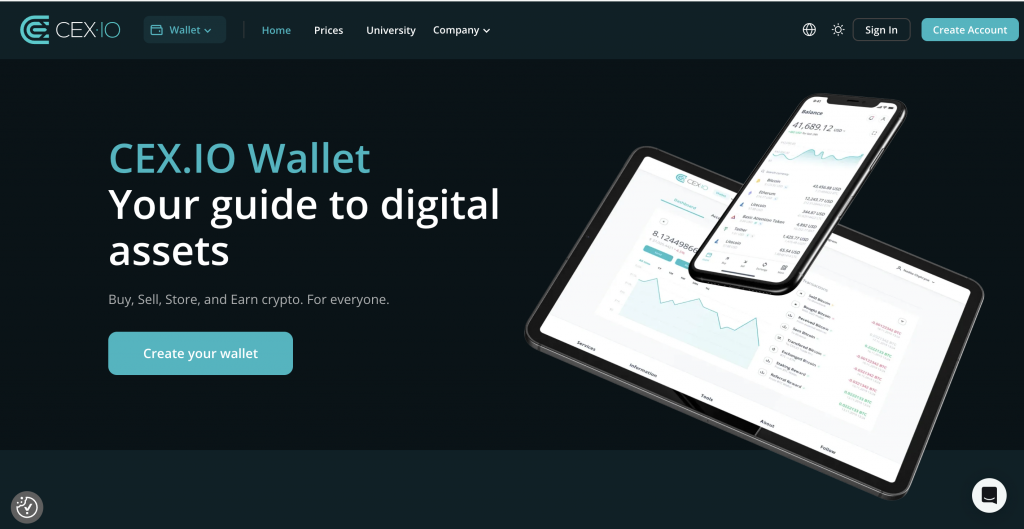
Coinbase Wallet stores private keys on the user’s device. The user signs every transaction and bears full responsibility for the recovery phrase. The wallet works well for on-chain activity, Base dApps, and direct interaction with smart contracts.
CEX.IO operates as a regulated exchange platform. Identity verification unlocks fiat rails, including ACH deposits and domestic wire transfers in the United States. CEX.IO Corp. is registered with FinCEN as a Money Service Business and holds Money Transmitter Licenses in eligible US states. Spot Trading fees start at 0.25% and can drop based on 30-day volume. Instant Buy shows a final price before confirmation, which removes rate uncertainty during the purchase.
Coinbase Wallet suits users who want direct on-chain control and Base-native dApp access. CEX.IO suits users who want a verified account, clear pricing, ACH and wire support, and the ability to recover account access through identity checks. The two cover different needs and work well together, since users can move crypto between an exchange account and a self-custody wallet on Base.
Coinbase Wallet vs MetaMask

Coinbase Wallet and MetaMask both use a self-custody model with a 12-word recovery phrase. Both support Ethereum, Base, and other EVM chains. The differences appear in setup, integrations, and asset coverage.
Coinbase Wallet supports Base, Solana, and several non-EVM chains out of the box. The wallet integrates directly with Coinbase exchange deposits and adds Base Pay, Base Account, and social features through the Base App rebrand. MetaMask covers EVM chains primarily, with Solana support added more recently through a snap. MetaMask supports a broader range of custom RPC endpoints, which suits users who experiment with smaller chains or run their own nodes.
Coinbase Wallet adds passkey-based sign-in as an alternative to the seed phrase. MetaMask sticks closer to the traditional seed-phrase model. For users deep in the Base ecosystem, Coinbase Wallet provides tighter integration. For users who need wide chain coverage and a long history with the EVM tooling, MetaMask remains the reference wallet.
Wallet Comparison Overview
The table below shows the core differences between the three wallets.
| Feature | Coinbase Wallet (Base) | CEX.IO | MetaMask |
| Wallet Type | Self-custody hot wallet | Custodial exchange platform | Self-custody hot wallet |
| Key Control | User holds keys on device | Platform manages access | User holds keys on device |
| Primary Networks | Base, Ethereum, Solana, and 5+ more | CEX.IO platform (off-chain) | Ethereum, Base, and most EVM chains |
| Fiat Access | Through linked Coinbase account | Built-in ACH, domestic wire, card | Through third-party providers |
| Recovery | 12-word phrase, passkey, cloud backup | Account recovery via verification | 12-word phrase |
| Fee Visibility | Network fee shown before signing | Final price shown upfront | Network fee shown before signing |
| Best Fit | On-chain users, Base dApps | Verified account, fiat on/off ramps | EVM power users, broad chain support |
Which Option Is Better for Beginners?
CEX.IO gives new users a more guided starting point. The account flow walks through identity verification, then unlocks ACH deposits, domestic wire transfers, and card payments. Instant Buy displays the final price before confirmation, so the user sees the exact cost before signing off. Spot Trading fees follow a clear tiered schedule that starts at 0.25%.
Coinbase Wallet asks the user to manage a 12-word recovery phrase or a passkey from day one. New users gain on-chain access immediately, but they also take on the full responsibility of self-custody. A lost phrase means lost funds, with no support team that can restore access. MetaMask sits in a similar place — powerful for EVM users, but built around the same seed-phrase responsibility.
For a new user who wants verified fiat rails, account recovery through ID checks, and a guided trading flow, CEX.IO offers the more straightforward path. For a new user who wants direct on-chain control and Base-native dApp access, Coinbase Wallet works well once the user handles the recovery setup carefully.
FAQs
Did Coinbase Wallet turn into base?
Yes. Coinbase rebranded Coinbase Wallet to “Base App” in July 2025 during the “A New Day One” event. The product keeps the same self-custody model and the same wallet addresses, with new features for social, payments, and mini apps layered on top. Existing users received the rebrand automatically through a routine app update.
What is the base on Coinbase Wallet?
Base on Coinbase Wallet refers to the Base network, an Ethereum Layer 2 blockchain that Coinbase built and launched in August 2023. Inside the wallet, Base appears as a selectable network for sending, receiving, and storing assets such as ETH, USDC, and cbBTC. Base transactions settle quickly and cost a small fraction of Ethereum mainnet fees.
Does Coinbase Wallet support base transfer?
Yes. Coinbase Wallet supports sending, receiving, and bridging assets on the Base network. Users can transfer ETH, USDC, cbBTC, and most ERC-20 tokens deployed on Base. The wallet displays the Base network fee in ETH before each transaction and routes the transfer through the Base sequencer for fast confirmation.
How to find base address in Coinbase Wallet?
Open Coinbase Wallet, tap the Receive button, and select Base as the network. The app shows a 42-character address that begins with “0x”. The same address works for all EVM chains the wallet supports, but Base only credits funds sent over the Base network. You can copy the address or share the QR code with the sender.
Is Coinbase Base wallet safe?
Coinbase Wallet uses a non-custodial self-custody model. The private key stays on the user’s device, and Coinbase cannot access funds, freeze the wallet, or reverse transactions. Safety depends on how the user stores the 12-word recovery phrase and approves transactions. Phishing approvals and lost seed phrases remain the most common causes of loss. The wallet adds PIN, biometric, and passkey protections, plus optional encrypted cloud backup, to harden access at the device level.
Can I move crypto from Coinbase to Base wallet?
Yes. From a Coinbase exchange account, choose Send, pick the asset, enter the Base wallet address, and select Base as the network. The withdrawal sends crypto directly onto Base in a self-custody environment. The same path works in reverse — send from the wallet on Base back to the Coinbase exchange deposit address — as long as the user picks Base as the network on both ends. Always verify the destination address and network before confirming, since transactions in virtual currency are irrevocable.