
A crypto wallet is the tool that lets you hold, send, and receive cryptocurrency. The name is a little misleading — the wallet does not actually store coins. Coins live on the blockchain. The wallet stores the private keys that prove you own those coins and that sign every transaction you send.
This guide explains how a crypto wallet works, walks through the three main types (hosted, non-custodial, hardware), shows how to set up each one step by step, covers the rules for keeping your seed phrase safe, and lists the mistakes that cost new users the most money.
What a crypto wallet actually is
A blockchain stores a public record of who owns what. Each address on the blockchain has a balance. A private key is a long string of characters that proves you control a specific address. The wallet software manages the private key, lets you generate new addresses, and signs transactions when you want to move funds.
Lose the private key and you lose access to the coins forever. Nobody can recover it — not the exchange, not the wallet company, not a government. This is why wallet security is the single most important concept in crypto ownership.
Most modern wallets do not expose the raw private key to the user. Instead they show a 12-to-24-word recovery phrase, also called a seed phrase. The seed phrase is a human-readable version of the key. Anyone who has the seed phrase can restore the wallet on any device, anywhere in the world. Protecting the seed phrase is the same as protecting the private key.
Three main wallet types
Hosted (custodial) wallet
An exchange or service holds the private keys for you. You sign up with email and password, turn on two-factor authentication, verify your identity through KYC, and the platform handles key management. If you forget your password, you can reset it through the platform’s support process.
Examples: CEX.IO, Coinbase, Kraken, Binance, Gemini, Bitstamp.
Pros: simplest path to get started, recovery through the platform if you lose access, fiat deposits and withdrawals in one place, customer support available.
Cons: you rely on the platform’s security and solvency. If the platform fails (as FTX, Celsius, and several others did in 2022–2023), user funds may be at risk. Regulated platforms with strong compliance and proof-of-reserves disclosures reduce this risk but do not eliminate it.
Non-custodial (self-custody) software wallet
You hold the private keys on your device. The wallet app generates a 12-to-24-word seed phrase during setup. That seed phrase is the only way to recover the wallet if the device is lost. The platform does not see or store your keys.
Examples: MetaMask (Ethereum and EVM-compatible chains), Phantom (Solana, Ethereum, Bitcoin), Trust Wallet, Exodus, Coinbase Wallet (separate from the Coinbase exchange account), Rainbow.
Pros: full control over funds, access to DeFi and dApps, no KYC required, no platform risk.
Cons: all responsibility for security sits on you. Lose the seed phrase and the funds are gone. Send to the wrong address and the funds are gone. Fall for a phishing site and the funds are gone. Self-custody is powerful and unforgiving.
Hardware (cold) wallet
A physical device that stores private keys offline. The keys never touch the internet. When you want to sign a transaction, you plug the device into a computer or phone, confirm details on the device’s screen, and press a button on the device itself to sign. The computer never sees the private key.
Examples: Ledger Nano S Plus and X, Trezor Safe 3 and 5, Tangem, Keystone, Coldcard (Bitcoin-only).
Pros: strongest protection against online attacks. Even a computer full of malware cannot steal the key. Recommended for holdings above a few thousand dollars.
Cons: upfront cost of $50 to $200. Extra step for every transaction. Lose the device and the seed phrase and the funds are gone. Buy a compromised device and funds can be stolen on first use.
How to Pick the Right Wallet
When choosing the right wallet, your primary goal should dictate your choice. For instance, if you are new to crypto, plan to buy and hold, and want the safety net of customer support, a regulated hosted wallet is your best bet. On the other hand, if you want to interact directly with DeFi, NFTs, or dApps, you will need a non-custodial software wallet. For those holding significant value long-term, a hardware wallet is an absolute necessity. Active traders might even combine approaches, using a hosted wallet on a regulated exchange for daily activities alongside a hardware wallet for long-term savings.
Once you know the type of wallet you need, evaluate specific products based on five key criteria: the supported assets and networks (some handle only Ethereum, while others support over 50 chains), ease of use (look for a clean interface and clear recovery flow), the security model, recovery features (like a standard seed phrase vs. social recovery), and overall fee structures.
How to Set Up a Hosted Wallet on an Exchange
Setting up a hosted wallet is similar to opening a traditional digital bank account. First, you need to pick a regulated platform. Always do your research by checking their licenses, reviews, years in operation, and proof-of-reserves disclosures. Once you’ve chosen a platform, follow these steps to get started:
- Step 1: Create an account with a strong, unique password (using a password manager is highly recommended).
- Step 2: Turn on two-factor authentication (2FA). Use an authenticator app like Google Authenticator or Authy, which is much stronger than standard SMS verification.
- Step 3: Complete the identity verification (KYC) process. Most platforms will require a government ID document and a selfie.
- Step 4: Link a payment method, such as a bank account or debit card, so you can deposit fiat or receive crypto.
After your account is funded, make sure to enable advanced security features like withdrawal whitelisting and address book constraints if the platform offers them.
How to Set Up a Non-Custodial Software Wallet
To get started with a non-custodial wallet, first, you need to download the app. Only download it from the official website or official app store listing. Phishing sites and fake apps are designed to steal your keys, so it is a smart idea to bookmark the correct URL immediately.
- Step 1: Open the app, choose “Create a new wallet,” and set a strong local password or enable biometrics (like Face ID or fingerprint).
- Step 2: The app will show you a 12-to-24-word seed phrase. Write this down on paper or a metal plate. Do not screenshot it, and do not save it in cloud notes, email drafts, or photos. You will then confirm the seed phrase by entering the words in the correct order when prompted.
- Step 3: Send a small test transfer—around $5 to $20—to confirm that your receive address works properly.
Pro Tip: Using a separate wallet for each risky activity is a simple way to limit your exposure. For example, use one wallet for DeFi experiments and a second for long-term savings. A compromise on one does not reach the other.
How to Set Up a Hardware Wallet
When acquiring a hardware wallet, security starts at the point of purchase. First, you must buy the device directly from the manufacturer (for example, Ledger sells at Ledger.com and Trezor sells at Trezor.io). Avoid third-party sellers on Amazon or eBay, as tampered devices do exist.
When your device arrives, unbox it and confirm that the security seal is fully intact. Then, proceed with the setup:
- Step 1: Initialize the device. The seed phrase will generate on the device screen itself, not on your computer.
- Step 2: Write the seed phrase on the card included in the box or on a dedicated metal backup product (like Cryptosteel or SeedHammer). Keeping two physical copies in separate locations greatly reduces the risk of total loss from fire or water.
- Step 3: Install the companion app, such as Ledger Live or Trezor Suite, and add accounts for the specific coins you plan to hold. Each blockchain will have its own dedicated account.
Finally, just like with a software wallet, send a small test transfer from a hosted wallet to your new hardware wallet address. Once the test clears successfully, you can confidently send the full amount.
Security Habits That Reduce Risk
Developing strong security habits is the most effective way to protect your digital assets. First, you need to enable two-factor authentication (2FA) on every hosted account, ideally using an authenticator app rather than standard SMS, which is vulnerable to SIM-swapping. To protect yourself from phishing sites that mimic legitimate platforms with a one-character URL change, always bookmark the correct web addresses for your wallets and exchanges. Similarly, only download wallet apps from official sources, as fake apps on app stores are specifically designed to steal your keys.
System hygiene is equally important. Keep your devices patched and up-to-date, as operating system and browser updates often fix the exact vulnerabilities exploited by wallet thieves. Finally, if you interact with decentralized finance (DeFi), make it a habit to periodically review your token approvals—using tools like Revoke.cash to cancel old ones. Whenever you send funds to a new address, start with a small test transaction first. This simple check confirms the network, the address format, and any necessary memo fields are correct before you move larger amounts.
Common Mistakes That Lose Funds
Even experienced users can lose funds if they fall into common traps. One critical mistake is buying a hardware wallet second-hand; the seed phrase may have been pre-generated by an attacker who simply shipped you a compromised “new” device. Another major error is typing your seed phrase into a pop-up that pretends to be your wallet. Legitimate wallets will never ask for your seed phrase outside of the initial setup and restore flows.
When transferring assets, double-check your network and address formats. Sending an asset on the wrong network—like sending ERC-20 USDT to a BEP-20 address—usually results in a total loss of funds. You must also never ignore memo or destination tag fields on addresses for assets like XRP, XLM, or EOS. If you forget the memo, the transfer will reach the exchange but won’t be credited to your specific user account. Lastly, avoid reusing passwords across your wallet and other online services. A data breach at a completely unrelated service could instantly compromise your crypto if the passwords match.
About CEX.IO
Launched in 2013, CEX.IO was founded with a mission to support global financial inclusion through the widespread adoption of cryptocurrency and blockchain technology. As one of the most tenured market participants in the industry, CEX.IO runs an intuitive ecosystem of solutions built entirely with user safety at the core. Today, more than 15 million registered users globally rely on the platform to trade, store, transfer, and earn digital assets for retail, enterprise, and institutional needs.
To ensure compliance and security, CEX.IO is registered with FinCEN in jurisdictions where it holds a license to operate as a Money Service Business, and it strictly follows local regulations in the U.S., Europe, and other countries where it operates.
The CEX.IO Wallet: A Hosted Wallet Example
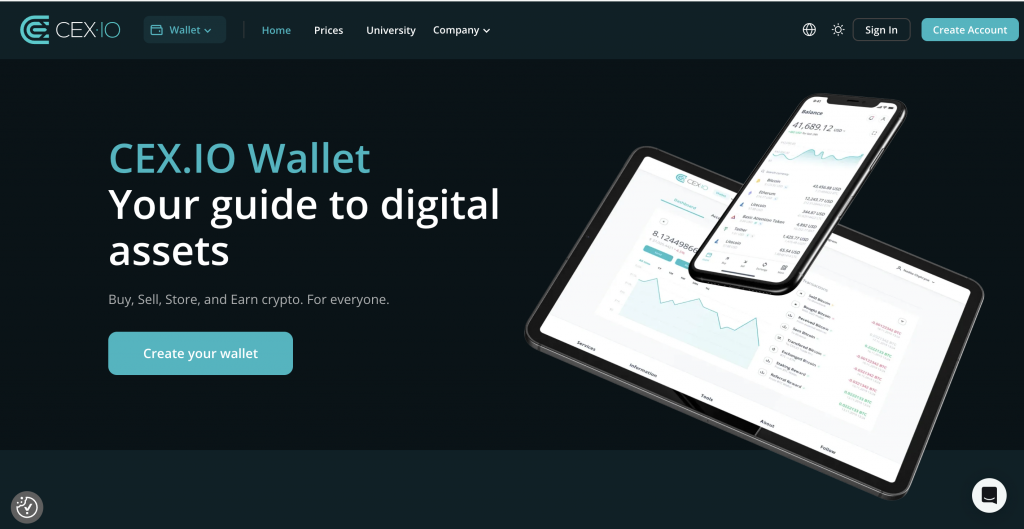
The CEX.IO wallet serves as an excellent example of a fully integrated hosted wallet. Included as part of every verified CEX.IO account, it conveniently handles both fiat and crypto balances in one place. Users have access to over 300 crypto markets for trading, converting, and storage, alongside supported fiat currencies like USD, EUR, and GBP (subject to your country of residence).
The platform offers a variety of funding methods, including SEPA, Faster Payments, Online Banking, Domestic Wire, and supported card deposits. Managing your funds is made easy with a real-time portfolio view and transaction history exports for your record-keeping. To further protect against hasty mistakes, the wallet also features address whitelisting, allowing you to add trusted withdrawal addresses after a mandatory verification delay.
How to Set Up Your CEX.IO Wallet
Setting up your hosted wallet is a straightforward process.
- Step 1: First, you need to sign up at cex.io and create a strong, unique password.
- Step 2: Secure your account immediately by turning on two-factor authentication (2FA) through an authenticator app.
- Step 3: Complete the mandatory identity verification process to unlock the platform’s features.
- Step 4: Add funds to your new account using your preferred payment method.
Once your account is funded, you can easily receive or send crypto directly from the Wallet tab.
(Please note: You can check cex.io/limits-commissions for current fees and limits. The availability of products, features, or specific assets on the CEX.IO platform is subject to your local jurisdictional limitations).
FAQ
What is a crypto wallet?
A crypto wallet is a tool that holds the private keys that prove ownership of coins on a blockchain. The wallet signs transactions. The coins themselves live on the blockchain, not in the wallet.
How do I create a crypto wallet?
Pick a type — hosted, non-custodial, or hardware. Download the official app or buy the device from the manufacturer. Follow setup: create a password, save the seed phrase (for non-custodial and hardware), enable two-factor authentication, and send a small test transfer.
What is the best crypto wallet for beginners?
A regulated hosted wallet on a major exchange gives the simplest path. Password reset, customer support, and fiat access all stay in one place. Advanced users often move to non-custodial or hardware wallets as their holdings grow.
Do I need a hardware wallet?
If you hold significant value long-term — roughly $5,000 and up — a hardware wallet adds a layer of protection worth the cost. For smaller balances or short holding periods, a hosted or non-custodial software wallet often covers the need.
How do I recover a crypto wallet if I lose my phone?
For a hosted wallet, log in from another device with your credentials. For a non-custodial wallet, install the app on a new device and restore with the 12-to-24-word seed phrase you wrote down during setup. No seed phrase means no recovery.
Is a wallet the same as a crypto exchange account?
An exchange account usually includes a hosted wallet as part of the service. Non-custodial and hardware wallets run independently of any exchange and give you full control of the private keys.
Risk disclaimer
The value of digital and virtual currencies is derived from supply and demand in the global marketplace, which can rise or fall independently of any fiat or government currency. Holding digital and virtual currencies carries exchange rate and other types of risk. Transactions in virtual currency are irrevocable, and losses from fraudulent or accidental transactions may result in the loss of your money with no recourse. Please refer to the Terms of Use for more details.